Digital signage for restaurants uses digital screens and software to display menus, promotions, featured products, and customer information. A successful setup typically includes commercial displays, a media player or built-in signage system, content management software, reliable connectivity, and appropriate mounting. Costs vary by screen count, hardware, software, installation, and features.
Key Takeaways
- Digital signage makes menu and promotional updates faster than traditional printed boards.
- Restaurants can use screens for menus, specials, promotions, pickup information, and drive-thru communication.
- The total cost includes displays, media players, software, mounting, installation, connectivity, and content creation.
- Commercial-grade displays may be more appropriate for restaurants operating screens for long hours.
- Digital signage software allows restaurants to schedule different content by time, location, or screen.
- Startups should plan the customer journey and content before purchasing hardware.
- A pilot installation can help validate screen placement, readability, and operational requirements before expanding.
What Is Digital Signage for Restaurants?
Digital signage for restaurants is a system that uses electronic displays to communicate information to customers. Depending on the restaurant format, screens can function as digital menu boards, promotional displays, order-status screens, window displays, or drive-thru signage.
A typical system has four main components:
- Digital display: The screen customers see.
- Media player or built-in signage hardware: Delivers the content to the display.
- Digital signage software: Allows staff to create, schedule, and publish content.
- Internet or network connection: Enables remote updates and centralised management where required.
Modern restaurant signage can also support scheduling, allowing different menus or promotions to appear at different times of day.
Why Restaurants Are Switching to Digital Displays
Printed menus are simple, but they can become inconvenient when prices, products, availability, or promotions change frequently.
Digital signage provides flexibility because content can be changed without physically replacing the display. HD2Menus, for example, highlights real-time menu updates, promotional content, customer experience improvements, and reduced reliance on printed menu materials as key benefits of digital menu boards.
Digital signage can be particularly useful for:
- Quick-service restaurants
- Fast-casual restaurants
- Cafes
- Coffee shops
- Pizza restaurants
- Bakeries
- Ice cream shops
- Food trucks
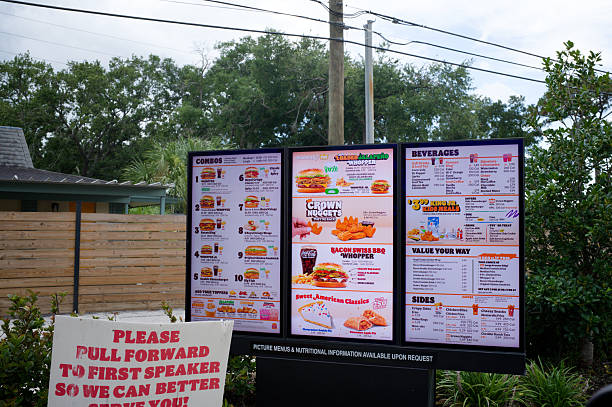
- Restaurants with drive-thru service
Benefits of Digital Signage for Restaurants
Faster Menu Updates
Prices and availability can change quickly in food service. Digital menu boards allow staff to update information without waiting for new printed materials.
This is useful when restaurants introduce seasonal products, change prices, remove unavailable items, or launch limited-time offers.
Better Promotion of High-Priority Items
A restaurant can use restaurant marketing displays to give greater visibility to selected products.
For example, a screen could feature:
- New menu items
- Meal combinations
- Seasonal drinks
- Desserts
- Limited-time offers
- High-margin products
The goal is not to fill the screen with promotions. Effective signage gives customers a clear path from browsing to ordering.
Improved Customer Experience
Restaurant display screens can make menus easier to scan when information is organized clearly.
Visual content can help customers understand menu categories, featured products, prices, and available combinations before they reach the ordering point.
STRATACACHE notes that digital menu boards can organize menus for easier scanning and can be adapted according to factors such as time of day, weather, item availability, and labor conditions.
Reduced Dependence on Printed Materials
Every major menu change can require new printed materials. Digital signage reduces the need to repeatedly redesign and print menu boards.
The savings depend on how often the restaurant changes its menu, the number of displays, printing costs, and the software and hardware investment.
More Flexible Restaurant Marketing
A digital screen can do more than display a static menu.
Restaurants can use digital signage for:
- Brand messaging
- Promotions
- Cross-selling
- Product education
- Seasonal campaigns
- Event announcements
- Customer instructions
This gives the restaurant another controlled communication channel inside the physical location.
Types of Restaurant Digital Signage
Not every screen serves the same purpose. Choosing the right type starts with understanding where customers interact with the restaurant.
Signage Type | Typical Use |
|---|---|
Digital Menu Board | Main menu and pricing |
Digital Promo Board | Specials and promotional campaigns |
Window Display | Attracting pedestrians and passersby |
Drive-Thru Display | Menu and ordering information |
Order Status Screen | Pickup and order communication |
Digital Kiosk | Self-service ordering |
Dining Area Display | Promotions and brand content |
HD2Menus currently lists digital menu boards, digital promo boards, digital signage displays, order kiosks, window digital signage, and outdoor digital drive-thru solutions among its offerings.
How Much Does Digital Signage for Restaurants Cost?
There is no single price for restaurant digital signage. Your total investment depends on the number and quality of screens, software, installation, mounting, connectivity, and content requirements.
Current industry guides show that restaurant setups can range from relatively simple single-screen installations to multi-screen commercial deployments costing several thousand dollars. For example, ScreenCloud cites approximately $300 to $800 per screen for hardware and around $20 per screen per month for certain software configurations, while other 2026 industry estimates show substantially wider ranges depending on hardware and installation requirements.
A useful way to plan your budget is to divide costs into these categories:
Cost Category | What It Includes |
|---|---|
Displays | Screens suitable for the restaurant environment |
Media Players | Hardware required to deliver content |
Software | Content creation, scheduling, and management |
Mounting | Wall or ceiling mounting equipment |
Installation | Physical installation and configuration |
Connectivity | Wi-Fi, Ethernet, or other network requirements |
Content | Menu design, photography, graphics, and videos |
Maintenance | Repairs, replacement, and ongoing support |
Consumer TV vs. Commercial Display
A consumer television may appear cheaper initially, but restaurant operators should consider operating hours, brightness, warranty terms, mounting requirements, and expected lifespan.
Commercial signage displays are designed specifically for professional environments and may offer features better suited to extended daily operation.
The right choice depends on the restaurant’s operating schedule and the expected workload of the screens.
Digital Signage Software for Restaurants
Hardware alone does not create an effective digital signage system. You need software to manage what appears on each screen.
Restaurant-focused digital signage software may provide features such as:
- Centralized content management
- Scheduling
- Multiple screen management
- Remote updates
- Dayparting
- Location-specific content
- User permissions
- Content templates
- Device monitoring
For example, a restaurant could schedule a breakfast menu in the morning, switch to lunch content at midday, and automatically display dinner items later.
For multi-location businesses, centralized management becomes especially valuable. A brand can maintain common templates while allowing individual locations to make approved local changes.
Step-by-Step Setup Guide
Step 1: Define Your Objective
Before purchasing equipment, determine what you want the signage to accomplish.
Possible objectives include:
- Replace printed menu boards
- Promote selected products
- Improve menu readability
- Support drive-thru ordering
- Reduce menu update time
- Create consistent branding
- Manage multiple locations
Choose measurable goals wherever possible.
Step 2: Map the Customer Journey
Walk through the restaurant as a customer.
Identify:
- Where customers enter
- Where queues form
- Where they make purchasing decisions
- Where menus are easiest to see
- Where promotions could be useful
- Where pickup information should appear
This prevents the common mistake of installing screens wherever there happens to be wall space.
Step 3: Determine Screen Count and Size
Screen size should be based on viewing distance, available wall space, menu complexity, and customer traffic.
A long menu may require multiple screens rather than forcing every item onto one display.
Step 4: Plan the Content
Create the menu structure before finalizing the screen layout.
Prioritize:
- Categories
- Item names
- Prices
- High-priority products
- Optional descriptions
- Promotional messaging
Keep important information readable from the normal ordering distance.
Step 5: Select Hardware and Software
Choose displays, media players, mounts, and signage software that match your operating environment.
Consider:
- Screen operating hours
- Indoor or outdoor placement
- Brightness
- Connectivity
- Remote management
- Warranty
- Software compatibility
- Future expansion
Step 6: Install and Test
Test the complete system before launch.
Check:
- Screen visibility
- Text readability
- Image quality
- Network stability
- Content schedules
- Price accuracy
- Screen orientation
- Staff access
- Backup procedures
Step 7: Monitor and Optimize
After launch, monitor customer behavior and operational feedback.
Look at:
- Average order value
- Sales of promoted products
- Order times
- Menu-related questions
- Customer feedback
- Content performance
- Screen uptime
Use the information to refine the content rather than treating the initial design as permanent.
Best Practices for Restaurant Display Screens
Keep Menus Easy to Scan
Do not turn a digital screen into a crowded webpage. Customers often have limited time to make their selection.
Use clear categories, readable typography, consistent spacing, and a logical visual hierarchy.
Use High-Quality Food Photography Carefully
Food photography can attract attention, but too many images can make a menu difficult to navigate.
Use images strategically for products where appearance strongly influences purchasing decisions.
Use Dayparting
Dayparting allows restaurants to display different content according to the time of day.
For example:
Time | Content |
|---|---|
Morning | Breakfast menu |
Late Morning | Coffee and snack promotions |
Afternoon | Lunch and beverage offers |
Evening | Dinner menu |
Late Night | Late-night menu |
Keep Prices and Availability Accurate
An attractive screen is ineffective if customers see incorrect pricing or products that are unavailable.
Establish a clear process for updating menu data and promotions.
Design for the Actual Viewing Distance
A screen may look excellent when viewed close up but become difficult to read from a queue.
Always evaluate the design from the distance where customers normally make ordering decisions.
Common Digital Signage Mistakes
Buying Hardware Before Planning the Content
The screen should support the menu and customer journey, not determine them.
Using Too Much Text
Long descriptions can slow down menu scanning. Keep descriptions concise and prioritize the information customers need to order.
Overusing Animations
Movement can attract attention, but excessive animation can make menus distracting or difficult to read.
Ignoring Network Reliability
A cloud-managed system depends on reliable connectivity for remote updates. Plan your network before installation and understand what happens if connectivity is temporarily lost.
Forgetting Local Overrides
Multi-location restaurants need clear rules for which content can be changed locally and which elements should remain standardized.
Treating Every Screen the Same
A menu board, window display, and pickup screen have different jobs. Their content should reflect their position in the customer journey.
Practical Example: A New Fast-Casual Restaurant
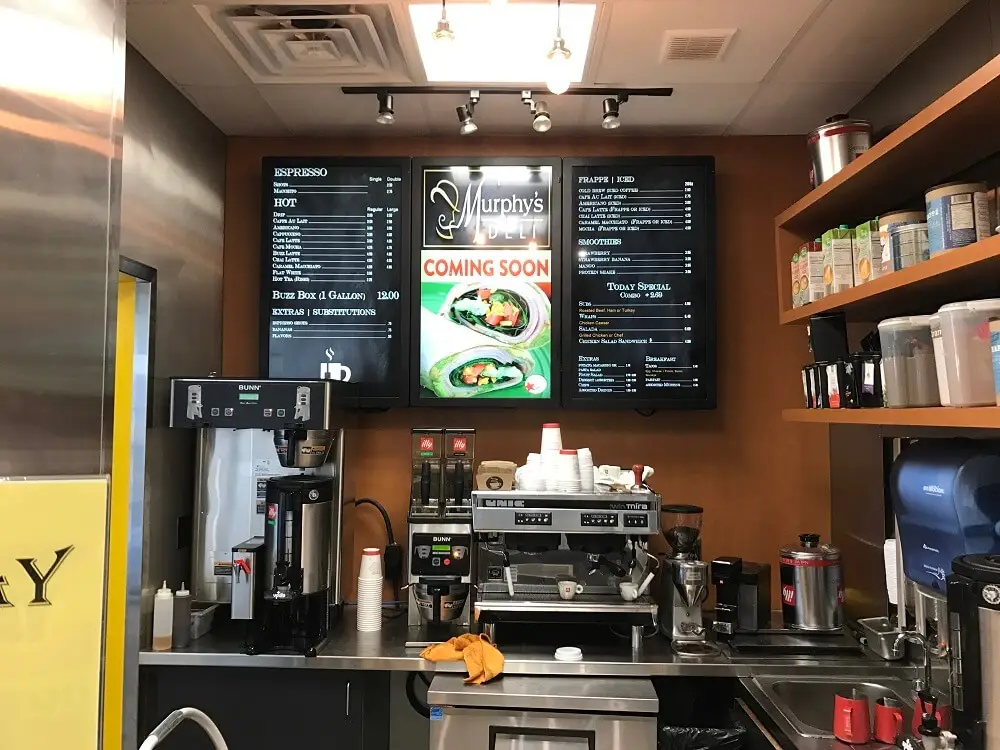
Imagine a new fast-casual restaurant opening with three screens behind the counter.
The operator could assign:
- Screen 1: Main menu categories and core items
- Screen 2: Combos, beverages, and add-ons
- Screen 3: Promotions and seasonal products
Breakfast content could be scheduled for the morning, while lunch and dinner menus appear later.
If the restaurant opens another location, the same content structure can become a template while allowing local pricing and availability to be adjusted.
This approach creates a repeatable signage system rather than a one-off installation.
Restaurant Digital Signage Setup Checklist
Before launch, confirm that you have:
- Defined signage objectives
- Mapped customer viewing points
- Selected appropriate screen sizes
- Confirmed power availability
- Planned network connectivity
- Chosen compatible signage software
- Created menu content
- Checked prices and availability
- Tested daypart schedules
- Installed screens securely
- Trained staff
- Established an update process
- Tested backup procedures
- Defined performance metrics
How to Choose the Right Digital Signage Solution
The best system is not necessarily the one with the most features. Start with the restaurant’s actual operational requirements.
Ask:
- How many screens do I need?
- Will my menu change frequently?
- Do I need scheduled menus?
- Will I operate multiple locations?
- Do I need drive-thru signage?
- Who will update the content?
- Do I need centralized management?
- What is my total first-year budget?
- What support is available after installation?
For a startup, a scalable system can be more practical than buying a large deployment immediately. Establish one well-designed location first, measure the results, and then replicate what works.
Conclusion
Digital signage for restaurants can provide a flexible way to manage menus, promotions, customer communication, and restaurant marketing displays. Its value is not simply in replacing a printed board with a screen. A well-planned system connects the right content, hardware, software, and customer touchpoints into one practical workflow.
For restaurant startups, the smartest approach is to define objectives first, understand customer movement, plan content, calculate the complete cost, and then select hardware and software that can support future growth. Digital menu boards can be particularly useful when menus change frequently, promotions need regular updates, or multiple locations need consistent content management.
HD2Menus provides restaurant-focused digital signage solutions including digital menu boards, promotional boards, displays, window signage, drive-thru solutions, and ordering kiosks.
If you are planning a new restaurant or upgrading an existing location, contact us to discuss your digital signage requirements, screen configuration, and restaurant display strategy.
Frequently Asked Questions
Digital signage for restaurants uses electronic displays to show menus, prices, promotions, product information, and other customer-facing content. The displays are typically managed through signage software that allows content to be updated and scheduled.
Restaurant digital signage costs vary based on the number of screens, display type, software, installation, mounting, connectivity, and content creation. Industry estimates range from hundreds of dollars for simpler setups to several thousand dollars for larger commercial installations.
Digital signage can be more flexible when menus change frequently because prices, products, and promotions can be updated without reprinting the physical board. Printed menus may still make sense for restaurants with stable menus and limited signage requirements.
Restaurant digital signage software generally provides a way to create, schedule, publish, and manage content on one or more screens. More advanced systems may support multiple locations, user permissions, remote monitoring, and integrations.
The appropriate number depends on menu size, customer traffic, viewing distance, wall space, and restaurant format. A small restaurant may need only one or two screens, while larger QSRs or multi-location businesses may require several displays for different menu categories and customer touchpoints.
Yes. Digital signage can be used in windows and drive-thru environments, but outdoor installations require equipment appropriate for weather, temperature, sunlight, and visibility conditions. The hardware requirements are different from those of a standard indoor menu board.