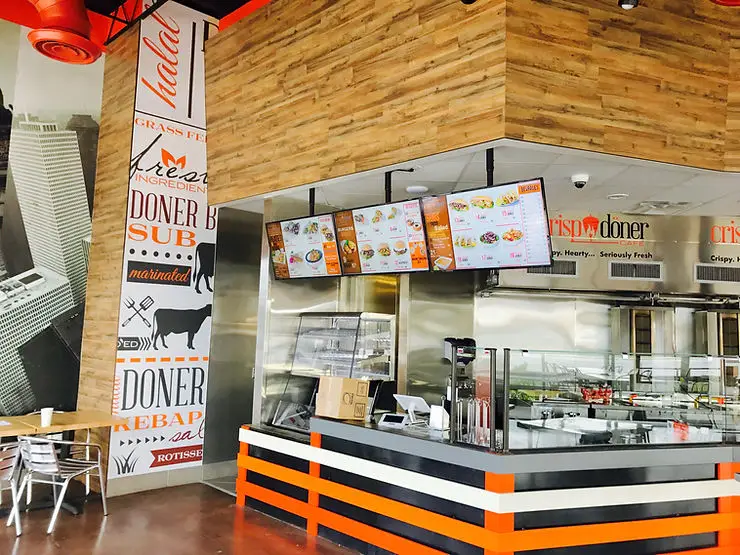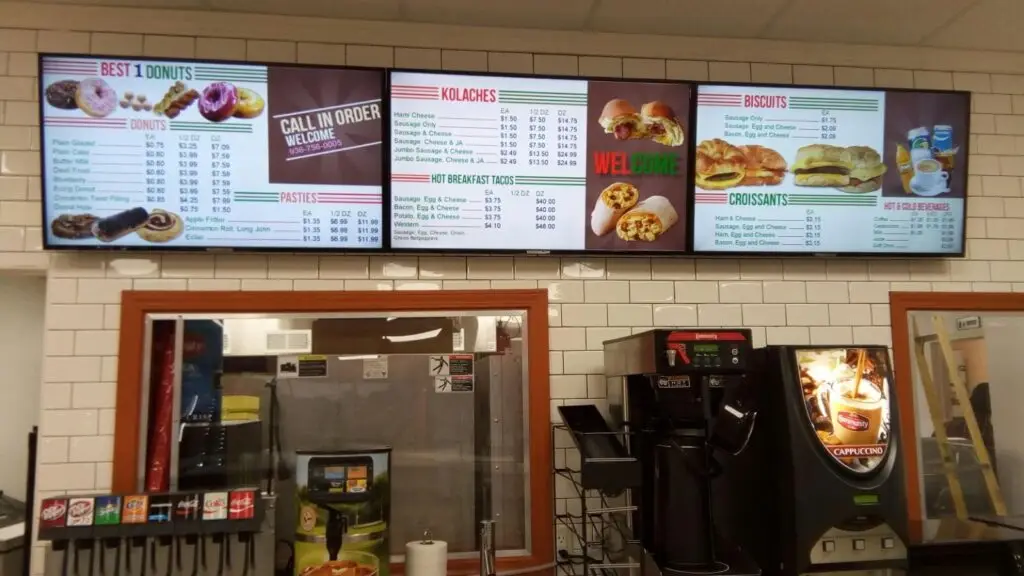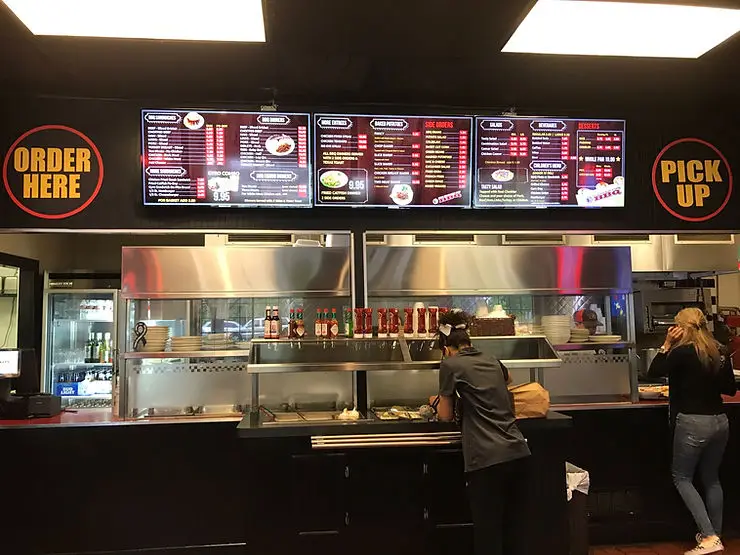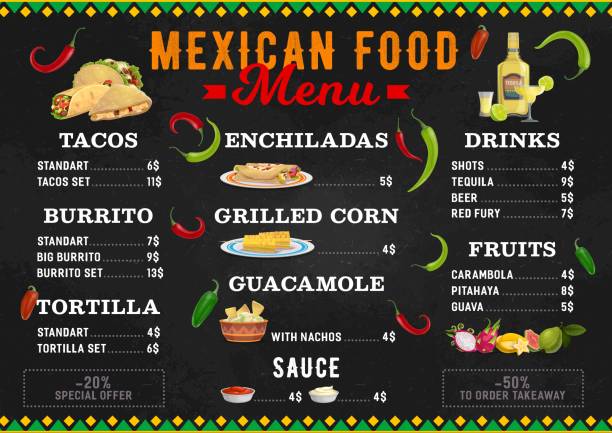
Well-designed digital menu boards help customers make faster purchasing decisions by presenting clear pricing, organized categories, high-quality visuals, and strategic promotions. Restaurants that optimize their digital menu boards can improve customer experience, reduce ordering time, increase average order value, and streamline operations during peak hours.
Key Takeaways
- Digital menu boards improve order speed and customer satisfaction.
- Simple, organized layouts reduce decision fatigue.
- Strategic item placement increases sales of high-margin menu items.
- High-quality food images encourage impulse purchases.
- Consistent branding builds customer trust.
- Regular menu updates keep offerings accurate and relevant.
- Digital menu boards for restaurants provide flexibility that printed menus cannot.
Why Digital Menu Boards Matter for Modern Restaurants
Today’s restaurant customers expect speed, convenience, and a seamless ordering experience. Long queues and confusing menus often lead to frustrated customers, abandoned orders, and lost revenue.
This is where digital menu boards make a significant difference.
Unlike static printed menus, digital displays allow restaurants to instantly update pricing, highlight promotions, and organize menu items in a way that helps customers make quicker decisions.
Whether you own a quick-service restaurant, café, food truck, pizzeria, or multi-location franchise, investing in a professionally designed digital menu board can improve both operational efficiency and customer satisfaction.
Benefits of Using Digital Menu Boards
Restaurants adopting digital menu boards experience benefits that extend far beyond modern aesthetics.
Some of the most valuable advantages include:
- Faster customer decision-making
- Improved order accuracy
- Higher average ticket size
- Easier menu updates
- Better promotion visibility
- Reduced printing costs
- Consistent branding across locations
- Dynamic daypart menus
- Better customer engagement
- Increased operational efficiency
Digital displays also allow restaurants to respond quickly to inventory changes without reprinting menus.
How Digital Menu Design Influences Customer Behavior
Restaurant menu psychology has been widely studied.
Customers often spend only a few seconds scanning a menu before deciding what to order.
An effective menu design helps customers naturally focus on featured items while reducing unnecessary distractions.
A well-designed digital menu should:
- Guide the customer’s eyes
- Highlight profitable items
- Simplify navigation
- Reduce cognitive overload
- Encourage upselling
The easier it is to understand the menu, the faster customers complete their purchase.
10 Digital Menu Design Tips That Make Customers Order Faster
1. Keep the Layout Simple and Easy to Scan
One of the biggest mistakes restaurants make is overcrowding their menus.
Customers should immediately understand where to look.
A clean layout includes:
- Clear menu categories
- Consistent spacing
- Readable typography
- Logical organization
- Limited text
Avoid trying to display every item on a single screen.
Instead, organize the menu into sections such as:
- Burgers
- Pizza
- Sandwiches
- Drinks
- Desserts
- Combo Meals
Simple layouts help customers locate items faster.
2. Use High-Quality Food Photography
Images sell food.
Professional food photography helps customers visualize their meal before ordering.
However, balance is important.
Instead of displaying images for every menu item, showcase only your best-selling or highest-margin products.
Effective food photography should be:
- Bright
- High resolution
- Professionally styled
- Consistent in appearance
- True to the actual product
Poor-quality images can reduce customer confidence and make food appear less appealing.
3. Highlight Best-Selling and High-Profit Items
Not every menu item deserves equal attention.
Guide customers toward your most profitable offerings by using subtle visual emphasis.
Examples include:
- Featured badges
- Different background colors
- Slightly larger text
- “Customer Favorite” labels
- “Chef’s Recommendation”
These visual cues naturally attract attention without overwhelming the menu.
Restaurants often see higher sales when featured items are placed in highly visible positions.
4. Choose Fonts That Are Easy to Read
Typography directly impacts readability.
Fancy decorative fonts may look attractive but often slow down ordering.
Instead, choose fonts that are:
- Clean
- Modern
- Easy to read from a distance
- Consistent throughout the menu
Font size also matters.
Customers standing several feet away should be able to read menu items comfortably.
Maintain sufficient contrast between text and background to improve visibility.
5. Organize Menu Categories Logically
Customers should never have to search for items.
Arrange categories in the order people naturally expect.
For example:
Recommended Menu Flow | |
|---|---|
Featured Specials | First |
Combo Meals | Second |
Main Courses | Third |
Side Items | Fourth |
Drinks | Fifth |
Desserts | Last |
Logical organization speeds up the ordering process while improving the overall customer experience.
6. Limit the Number of Choices Per Screen
Too many choices often overwhelm customers.
This phenomenon, known as decision fatigue, causes customers to spend more time choosing and may even discourage purchases.
Instead of displaying dozens of products simultaneously:
- Rotate menu sections
- Use multiple screens
- Create dedicated category displays
- Highlight seasonal items separately
A focused menu encourages faster decisions.
Best Practices for Digital Menu Boards
Successful restaurants follow several best practices when designing their digital menu boards.
These include:
- Maintaining consistent branding
- Using readable fonts
- Displaying current pricing
- Keeping promotions relevant
- Updating seasonal offerings
- Highlighting limited-time specials
- Testing menu performance regularly
- Ensuring displays are visible under different lighting conditions
Consistency helps customers become familiar with the menu over time, making repeat visits even more efficient.
Practical Example
Imagine two coffee shops operating across the street from each other.
The first uses a cluttered printed menu with small text and dozens of drink variations.
The second uses digital menu boards that display:
- Large drink categories
- Clear pricing
- Attractive beverage photos
- Seasonal promotions
- Featured combo offers
Customers at the second location typically spend less time ordering because the menu is easier to understand. During busy hours, this can lead to shorter queues, faster service, and a smoother overall experience.
7. Use Color Strategically to Guide Customer Attention
Color plays an important role in how customers interact with digital menu boards. The right color combinations can help highlight important items without making the menu look cluttered.
Consider using:
- Brand colors for consistency
- Accent colors to highlight featured items
- High-contrast backgrounds for better readability
- Neutral backgrounds that make food images stand out
Avoid using too many bright colors on one screen. A clean, consistent color palette keeps the display professional and easy to navigate.
Pro Tip
Reserve accent colors for promotions, combo meals, or limited-time offers so customers immediately notice them.
8. Update Your Menu Regularly
One of the biggest advantages of digital menu boards is the ability to make instant updates.
Restaurants should regularly update:
- Seasonal specials
- Limited-time offers
- New menu items
- Pricing
- Sold-out products
- Promotional banners
Keeping content current prevents customer confusion and builds trust.
Restaurants can also schedule menus for different times of the day, such as:
Time of Day | Recommended Menu |
|---|---|
Morning | Breakfast Menu |
Lunch | Lunch Specials |
Afternoon | Snacks & Beverages |
Evening | Dinner Menu |
Late Night | Limited Menu |
This flexibility improves efficiency while ensuring customers always see the most relevant offerings.
9. Make Pricing Clear and Transparent
Customers appreciate menus that are easy to understand.
Prices should:
- Be placed consistently beside each item
- Use readable font sizes
- Avoid unnecessary symbols or clutter
- Clearly indicate combo pricing
- Show add-on costs where applicable
Transparent pricing reduces hesitation during ordering and minimizes questions at the counter.
If your restaurant offers meal upgrades, clearly display the additional cost so customers can make informed decisions quickly.
10. Test, Measure, and Improve Continuously
Great menu design is never finished.
Successful restaurants regularly evaluate how customers interact with their menus and make improvements based on real-world performance.
Track metrics such as:
- Average ordering time
- Best-selling items
- Customer feedback
- Peak-hour performance
- Promotion effectiveness
- Average order value
Small adjustments, such as changing an item’s position or updating an image, can significantly impact sales over time.
Continuous optimization helps ensure your digital menu board remains effective as customer preferences evolve.
Step-by-Step Guide to Designing an Effective Digital Menu Board
Creating a successful digital menu requires more than simply displaying food items. Follow these steps to design a menu that enhances customer experience and encourages faster ordering.
Step 1: Identify Your Restaurant Goals
Determine what you want your menu to achieve.
Common objectives include:
- Speeding up service
- Increasing average order value
- Promoting seasonal items
- Improving customer satisfaction
- Reducing ordering errors
Your goals will shape the overall menu design.
Step 2: Organize Your Menu Categories
Group similar items together using clear headings.
For example:
- Appetizers
- Main Courses
- Combo Meals
- Drinks
- Desserts
A logical structure makes the menu easier to navigate.
Step 3: Prioritize High-Margin Items
Place your most profitable products in areas where customers naturally focus first.
Highlight them with subtle visual elements rather than overwhelming graphics.
Step 4: Use Professional Visuals
Invest in high-quality photography that accurately represents your food.
Authentic images build trust and encourage purchases.
Step 5: Review and Update Regularly
Schedule periodic reviews to ensure:
- Pricing is accurate
- Promotions are current
- Seasonal offerings are updated
- Menu design remains fresh
Common Mistakes to Avoid
Many restaurants invest in digital displays but overlook key design principles.
Avoid these common mistakes:
- Displaying too much information
- Using difficult-to-read fonts
- Poor color contrast
- Low-quality food photography
- Inconsistent branding
- Outdated pricing
- Too many animations
- Ignoring mobile and self-service integration
- Failing to test menu performance
- Not highlighting signature dishes
Eliminating these issues creates a smoother ordering experience for customers.
Expert Tips for Restaurant Startups
If you’re launching a new restaurant, consider these expert recommendations when designing your first digital menu board.
Focus on Simplicity
Start with a clean layout and expand only when necessary.
Keep Branding Consistent
Use the same colors, fonts, and logo across all customer touchpoints.
Feature Your Signature Items
Showcase your unique dishes prominently to build brand recognition.
Design for Peak Hours
Menus should remain easy to read even when customers are making quick decisions during busy periods.
Use Customer Data
Review sales reports to determine which menu items deserve greater visibility.
Digital Menu Boards vs. Traditional Printed Menus
Feature | Digital Menu Boards | Printed Menus |
|---|---|---|
Instant Updates | Yes | No |
Seasonal Promotions | Easy | Requires Reprinting |
Dynamic Content | Yes | No |
Food Photography | High Quality | Limited |
Daypart Menus | Yes | No |
Branding Flexibility | Excellent | Limited |
Long-Term Cost | Lower | Higher Due to Reprints |
Customer Engagement | High | Moderate |
Digital Menu Board Design Checklist
Before launching your menu, ensure you’ve completed the following checklist:
Checklist | Status |
|---|---|
Organized menu categories | □ |
Used readable fonts | □ |
Added professional food images | □ |
Highlighted best-selling items | □ |
Verified pricing accuracy | □ |
Included seasonal promotions | □ |
Maintained brand consistency | □ |
Optimized screen layout | □ |
Tested readability from a distance | □ |
Scheduled regular menu updates | □ |
Conclusion
An effective digital menu board is more than just a digital display. It is a valuable communication tool that helps customers make quicker decisions while supporting restaurant efficiency and profitability. By applying these ten design tips, restaurants can create digital menu boards that are visually appealing, easy to navigate, and aligned with customer expectations.
Whether you’re opening your first restaurant or upgrading your existing ordering system, investing time in thoughtful menu design can improve customer satisfaction, reduce wait times, and create a more seamless dining experience.
At Houston Dynamic Displays we help restaurants implement professional digital menu boards for restaurants that are easy to manage, visually engaging, and designed to support day-to-day operations.
Contact Us
If you’re ready to modernize your restaurant with professionally designed digital menu boards, contact us to learn how our solutions can help you create a better ordering experience for your customers. Our team is here to help you choose the right digital menu solution for your restaurant’s unique needs.
Frequently Asked Questions
Digital menu boards are electronic displays that present restaurant menus, pricing, promotions, and product images. They allow restaurants to update menu content instantly without printing new materials.
Yes. Small restaurants can benefit from faster menu updates, improved customer experience, lower printing costs, and increased opportunities to promote high-margin items.
By using organized layouts, clear typography, strategic product placement, and high-quality visuals, digital menu boards reduce decision-making time and simplify the ordering process.
A digital menu board should include menu categories, item names, prices, professional food images, featured products, promotions, and branding elements while maintaining a clean and readable layout.
Menus should be updated whenever pricing changes, seasonal items are introduced, inventory changes occur, or promotional campaigns begin. Regular updates keep the menu accurate and engaging.
Yes. Well-designed digital menu boards can encourage upselling, promote featured items, improve order accuracy, and increase average order value by guiding customer attention toward profitable menu options.