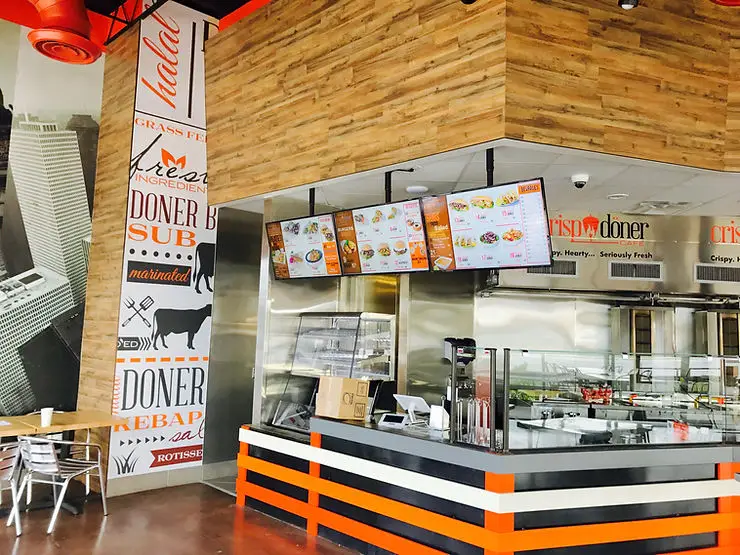
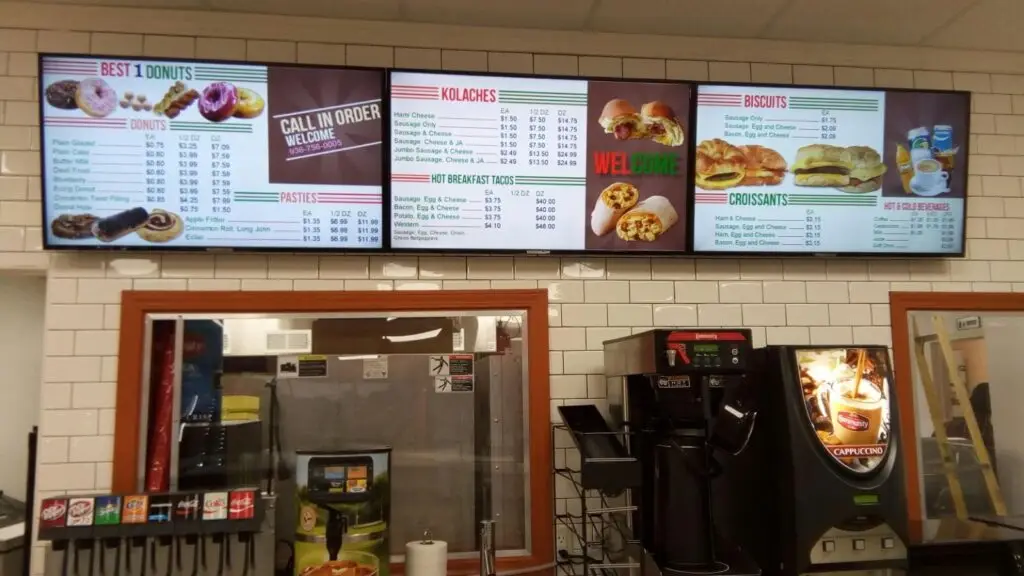
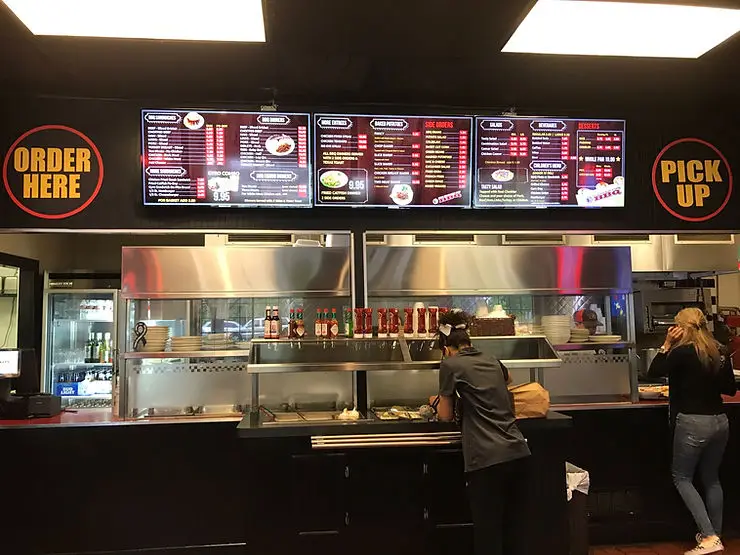
Digital menu boards for restaurants are commercial displays used to present food items, prices, promotions, and other customer information electronically. A typical system combines a commercial screen, media player or built-in operating system, content management software, and network connectivity. Digital menu boards for restaurants can update content remotely, schedule different menus, coordinate multiple screens, and adapt displays to changing business needs.
Key Takeaways
- Digital menu boards make menu updates faster and more flexible than printed boards.
- A complete system may include displays, media players, software, networking, mounting hardware, and installation.
- Screen size should be based on viewing distance, available space, menu complexity, and readability.
- Brightness matters when displays are exposed to windows or outdoor light.
- Dayparting can automatically switch between breakfast, lunch, dinner, and promotional content.
- Good menu design is just as important as good hardware.
- Multi-location restaurants can benefit from centralized content management.
- POS or inventory integrations can help reduce discrepancies between displayed and available items.
- Restaurants should plan for maintenance, connectivity, security, and content governance before deployment.
What Are Digital Menu Boards for Restaurants?
Digital menu boards are commercial displays that show restaurant menus electronically. They can display item names, descriptions, prices, photographs, nutritional information, promotions, meal combinations, and other relevant information.
Unlike a static printed menu, digital content can be changed without physically replacing the display. Depending on the system, restaurant staff can also schedule content for different times of day or manage several screens from a central platform.
A typical restaurant digital menu board setup includes:
- Commercial display
- Media player or built-in signage operating system
- Digital signage or content management software
- Wired or wireless network connection
- Mounting hardware
- Power and cabling
- Menu design and content
The exact configuration depends on the restaurant’s layout, operating hours, menu complexity, and number of locations.
How Digital Menu Boards Work
The basic process is straightforward.
1. Create the Menu Content
Restaurant menu content is designed according to the screen format. This can include food images, categories, prices, promotional messages, and calls to action.
2. Upload the Content
The finished content is uploaded to a digital signage platform or media player.
3. Schedule the Content
Restaurants can schedule different playlists or layouts according to time, location, or campaign.
For example:
- Breakfast menu: 6:00 a.m. to 10:30 a.m.
- Lunch menu: 10:30 a.m. to 3:00 p.m.
- Dinner menu: 3:00 p.m. to closing
- Seasonal promotion: selected dates
4. Publish to the Displays
The content is delivered to one or more connected screens.
5. Monitor and Update
Managers can review content, make changes, and update promotions without replacing physical signage.
This workflow is particularly useful for restaurants where prices, availability, specials, or service periods change frequently.
Digital Menu Boards vs. Printed Menus
Both digital and printed menus have legitimate uses. The right choice depends on how a restaurant operates.
Factor | Printed Menu | Digital Menu Board |
|---|---|---|
Price changes | Requires reprinting | Can be updated electronically |
Promotions | Static unless replaced | Can be changed quickly |
Dayparting | Manual replacement | Can be scheduled |
Images | Static | Static or motion content |
Multiple locations | Requires distribution | Can support centralized management |
Initial investment | Generally lower | Higher equipment investment |
Content flexibility | Limited | High |
Maintenance | Physical replacement | Hardware and software maintenance |
Digital menu boards are particularly useful when a restaurant frequently changes its menu, runs time-sensitive promotions, operates multiple locations, or wants more dynamic visual communication.
Benefits of Digital Menu Boards for Restaurants
Faster Menu Updates
One of the clearest advantages is the ability to update menu information without redesigning and printing physical boards.
Restaurants can change:
- Prices
- Menu items
- Meal combinations
- Seasonal offerings
- Limited-time promotions
- Operating-hour information
- Availability notices
This flexibility can also reduce the operational inconvenience associated with frequent printed-menu changes.
Better Daypart Management
Restaurants with separate breakfast, lunch, and dinner menus can automate transitions.
Instead of asking employees to change physical boards, scheduled content can switch automatically at predetermined times.
Stronger Visual Presentation
High-quality restaurant digital menu boards can combine text, food photography, graphics, and carefully controlled motion.
Food images can help customers understand menu options quickly, while promotional layouts can give additional visibility to selected products.
However, movement should support the menu rather than overwhelm it. Excessive animation or crowded layouts can make ordering more difficult. HD2Menus’ own restaurant menu board guidance similarly emphasizes keeping content clear and avoiding unnecessary complexity.
Centralized Multi-Location Management
For restaurant groups, consistency can be a major operational advantage.
A centralized system can allow approved content to be distributed across several locations while still permitting location-specific information where necessary.
For example, a franchise group might use one corporate promotion across every restaurant while allowing individual locations to display local specials.
Easier Promotional Campaigns
Digital menu boards can provide space for limited-time offers, seasonal campaigns, combo promotions, and featured items.
The key is to use promotional content strategically rather than turning the entire menu into an advertisement.
Types of Digital Menu Board Displays
There is no single display configuration that works for every restaurant.
Single-Screen Menu Board
A single landscape display may work well for a small counter-service restaurant with a relatively concise menu.
Multi-Screen Menu Board
Multiple screens can divide categories across displays.
For example:
- Screen 1: Meals
- Screen 2: Sides and beverages
- Screen 3: Specials and desserts
This approach gives complex menus more space without forcing excessive text onto one screen.
Portrait Displays
Portrait screens can work in narrow spaces or locations where vertical wall space is more available.
Video Wall Menu Boards
A video wall combines several displays to create a larger visual canvas. This can be appropriate for larger restaurant environments where menu content or branding requires substantial display space.
Outdoor and Drive-Thru Displays
Outdoor environments require different considerations from indoor menu boards. Bright sunlight, weather exposure, temperature, visibility, and durability all become important.
HD2Menus’ outdoor display materials highlight high-brightness displays, automatic brightness adjustment, weather resistance, and anti-reflection features for outdoor applications.
How to Choose the Right Digital Menu Board
Restaurant owners should evaluate the entire installation rather than selecting a screen based solely on price or size.
Consider Viewing Distance
Customers should be able to read essential menu information from their normal position in the queue.
Consider:
- Distance between customer and display
- Smallest text size
- Number of menu categories
- Mounting height
- Screen orientation
If customers need to stand extremely close to read the menu, the display configuration needs reconsideration.
Consider Brightness
Indoor restaurants generally have different brightness requirements from outdoor or window-facing locations.
A screen near a large storefront window may require higher brightness to remain readable in strong ambient light.
Consider Operating Hours
Restaurants operating for long hours should choose commercial-grade hardware appropriate for their expected usage.
The media player is also important. Houston Dynamic Displays offers a digital signage player designed for signage applications, with features including remote configuration, scheduled power control, secure connections, and automatic recovery capabilities.
Consider Connectivity
Determine whether the system will use:
- Ethernet
- Wi-Fi
- Local media
- Cloud-based management
- A combination of these options
Reliable connectivity is particularly important when managers need to update menus remotely.
Digital Menu Board Content Design Best Practices
A powerful display cannot compensate for poor menu design.
Keep the Layout Easy to Scan
Use clear category headings and consistent spacing.
Customers should quickly understand:
- What the item is
- How much it costs
- What makes it different
- Whether it is part of a promotion or meal
Use Food Photography Selectively
High-quality food images can make a menu more visually engaging, but too many images can create clutter.
Prioritize signature dishes, high-priority items, or products where photography adds genuine value.
Make Prices Easy to Understand
Keep prices visually connected to the corresponding menu item. Avoid layouts that force customers to search across the screen to match products and prices.
Use Motion Carefully
Animations can attract attention, but constant movement can distract customers while they are trying to order.
A useful rule is simple: if an animation makes the menu harder to read, remove it.
Design for Every Screen
If content will appear on different screen sizes or orientations, create layouts that remain readable across the deployment.
Using Digital Menu Boards to Support Sales
Digital menus can support merchandising, but they should not replace good menu strategy.
Restaurants can use menu boards to highlight:
- Signature dishes
- Meal combinations
- Seasonal products
- Limited-time offers
- Complementary products
- New menu items
- Popular choices
For example, a burger restaurant could place its signature burger beside a clearly presented meal combination that includes fries and a drink. A café could highlight breakfast combinations during morning hours and switch to afternoon beverages later in the day.
The objective should be to make relevant choices easier to understand rather than overwhelming customers with promotional messages.
Connecting Digital Menu Boards With Restaurant Systems
Integrating menu displays with other restaurant systems can improve operational accuracy.
POS or inventory connections may help synchronize information between what customers see and what the restaurant actually sells. HD2Menus’ restaurant menu board guidance specifically identifies POS integration as useful for keeping menu information aligned during near-real-time updates.
Before choosing a system, restaurant owners should ask:
- Can the menu system integrate with the existing POS?
- Can sold-out products be removed or hidden?
- Can prices be updated centrally?
- Can individual locations have different menus?
- Can managers control access by role?
- Is there an audit or change history?
- What happens if the internet connection fails?
These questions can prevent operational problems after installation.
How Much Do Digital Menu Boards Cost?
There is no universal price for digital menu boards for restaurants because the total project includes more than the screen.
A restaurant may need to budget for:
Cost Component | What Affects Cost |
|---|---|
Display | Size, commercial rating, brightness and features |
Media player | Hardware specifications and functionality |
Software | Licensing, management and integrations |
Mounting | Wall, ceiling or specialized mounting |
Cabling | Distance and installation complexity |
Installation | Access, electrical work and labor |
Content design | Templates, custom design and number of screens |
Maintenance | Hardware replacement and technical support |
The best way to compare proposals is to evaluate the complete system cost rather than comparing display prices alone.
Common Digital Menu Board Mistakes
Choosing the Screen Before Planning the Menu
The menu layout should influence the number, orientation, and size of displays.
Making the Menu Too Crowded
Trying to fit every item onto one screen can reduce readability.
Ignoring Viewing Distance
A technically impressive display is ineffective if customers cannot comfortably read it.
Using Too Much Animation
Motion should attract attention selectively rather than distract customers.
Forgetting Content Ownership
Someone should be responsible for approving, updating, and removing menu content.
Not Planning for Downtime
Restaurants should understand what happens when a screen, media player, or network connection fails.
Skipping a Pilot Installation
For larger deployments, testing one location or one menu area first can reveal content, hardware, mounting, or workflow issues before the system is rolled out more broadly. HD2Menus’ restaurant menu board guidance also recommends pilot testing for larger deployments.
2026 Digital Menu Board Checklist
Before purchasing or installing restaurant digital menu boards, review this checklist:
- Define the primary business objective
- Measure available wall or counter space
- Estimate customer viewing distance
- Determine indoor or outdoor requirements
- Choose landscape or portrait orientation
- Decide how many screens are required
- Select appropriate commercial displays
- Evaluate media player requirements
- Choose content management software
- Confirm network connectivity
- Plan mounting and cable management
- Create a readable menu layout
- Establish content approval responsibilities
- Consider POS or inventory integration
- Plan for maintenance and support
- Test the system before full deployment
Expert Tips for Restaurant Owners
Start with the customer journey rather than the technology.
Watch where customers stand, how long they have to read the menu, which sections receive the most attention, and where ordering bottlenecks occur.
Then design the display system around those observations.
For multi-location restaurants, establish a content governance process before launch. Decide which information is centrally controlled and which can be changed locally.
For restaurants with frequently changing products, prioritize easy content management and reliable update workflows.
For outdoor installations, evaluate brightness and environmental protection before focusing on visual design.
Finally, review the menu periodically. A digital board should not become a permanent screen for outdated content. Its flexibility is valuable only when the restaurant actually uses it.
Are Digital Menu Boards Right for Every Restaurant?
Not necessarily.
Digital menu boards may provide the most value for restaurants that:
- Change prices regularly
- Run breakfast, lunch, and dinner menus
- Offer frequent promotions
- Operate multiple locations
- Need large menu displays
- Want centralized content management
- Have busy counter-service environments
A printed menu may still make sense for smaller restaurants with stable menus and limited display requirements.
The decision should be based on operational needs, customer experience, and the total cost of ownership.
Conclusion
Digital menu boards for restaurants are more than electronic replacements for printed signage. When properly planned, they can create a flexible communication system that helps restaurants manage menus, promote relevant offerings, automate daypart changes, and maintain consistency across locations.
The strongest implementations begin with practical questions: how far customers stand from the screen, how often the menu changes, how much content needs to be displayed, whether the environment is indoor or outdoor, and how staff will manage updates.
HD2Menus provides digital signage solutions and equipment that can support restaurant menu display applications, including digital signage players and display options for demanding environments. Its published restaurant menu board guidance also emphasizes content management, suggestive selling, POS integration, pilot testing, and clear content as important considerations for successful deployments.
If you are planning a restaurant digital signage project and need help evaluating display, media player, or menu board requirements, contact us to discuss your specific application and determine the appropriate setup for your restaurant.
Frequently Asked Questions
Digital menu boards for restaurants are electronic displays used to show menu items, prices, images, promotions, and other customer information. They can be updated digitally and, depending on the system, scheduled or managed remotely.
Digital menu boards offer greater flexibility for frequent price changes, promotions, dayparting, and multi-location management. Printed menus may remain practical for restaurants with stable menus and simple display requirements.
The appropriate size depends on viewing distance, available space, menu complexity, mounting height, and the amount of information customers need to read. A larger menu may require multiple displays rather than one oversized screen.
Yes. Digital signage systems can schedule different content to appear at specific times. This allows restaurants to automate transitions between breakfast, lunch, dinner, and promotional menus.
Internet access is useful for remote management and cloud-based updates, but requirements vary by system. Some signage players can store content locally and continue displaying it if the network temporarily becomes unavailable.
Maintenance includes checking displays, media players, cables, network connectivity, software, screen cleanliness, and content accuracy. Restaurants should also establish a process for removing expired promotions and updating prices promptly.