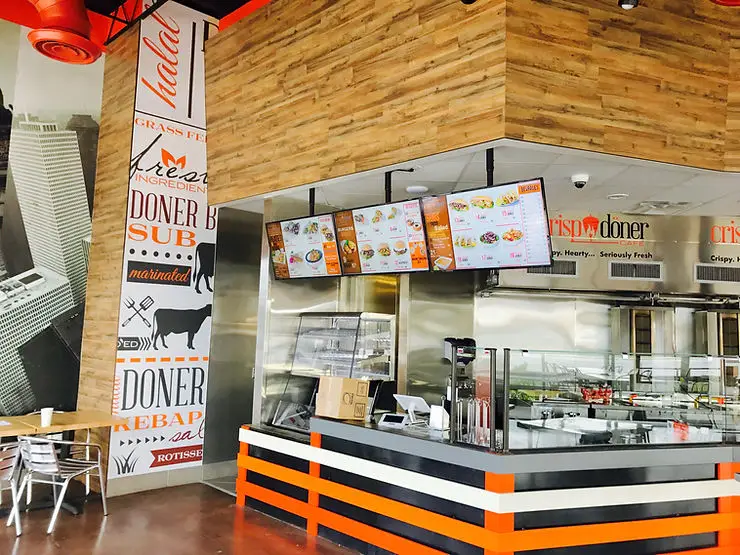
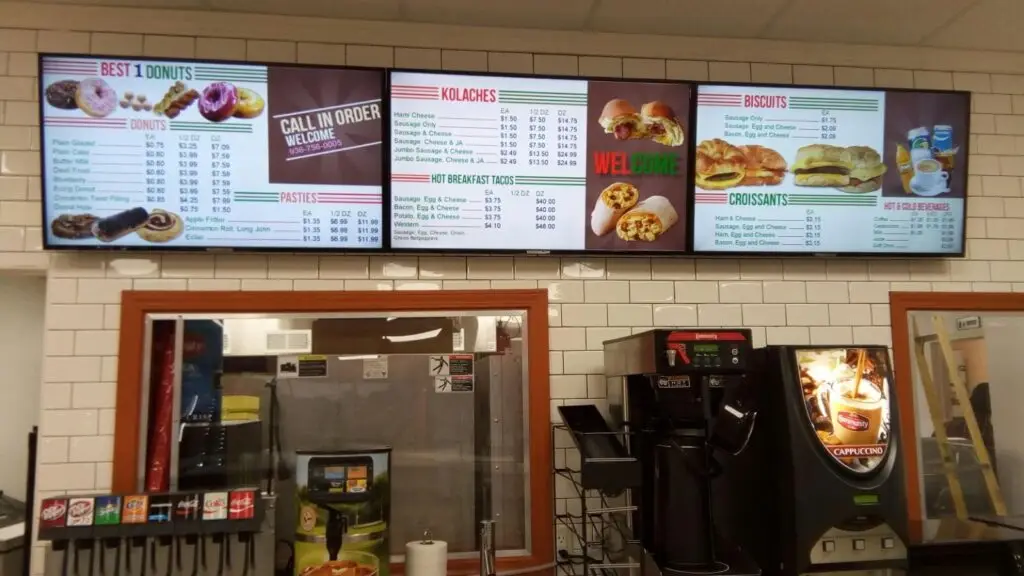
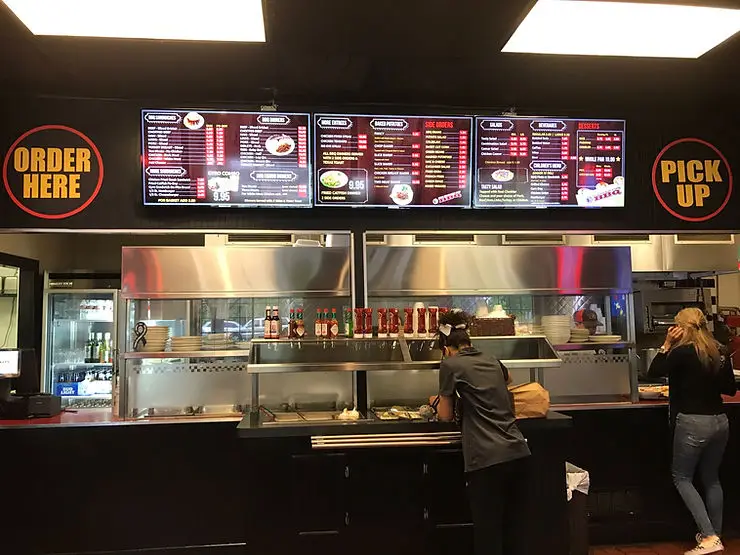
A digital drive thru menu board helps fast-food restaurants serve customers faster by displaying dynamic, easy-to-read menus that can be updated instantly. It also increases average order value through strategic upselling, daypart menus, and promotional content while improving order accuracy and customer satisfaction.
Key Takeaways
- Digital drive thru menu boards improve ordering speed and reduce queue times.
- Dynamic content enables restaurants to promote high-margin menu items instantly.
- Real-time menu updates eliminate manual menu changes.
- Clear digital displays improve order accuracy and customer satisfaction.
- Integration with POS and kitchen systems streamlines operations.
- Modern drive thru menu boards help increase average order value and operational efficiency.
Why Digital Drive Thru Menu Boards Matter
Today’s fast-food customers expect speed, convenience, and accuracy. Long wait times often result in customer frustration, abandoned orders, and lost revenue.
Traditional static menu boards cannot adapt to changing customer preferences, limited-time offers, inventory changes, or time-sensitive promotions. This is why many quick-service restaurants (QSRs) are replacing them with digital drive thru menu boards.
Digital menu technology gives restaurant operators greater control over pricing, promotions, menu layouts, and customer engagement while creating a faster ordering experience.
What Is a Digital Drive Thru Menu Board?
A digital drive thru menu boardis an electronic display system installed in drive thru lanes that replaces printed menu boards with high-resolution digital screens.
These systems allow restaurants to:
- Display dynamic menus
- Update prices instantly
- Promote limited-time offers
- Highlight combo meals
- Schedule breakfast, lunch, and dinner menus automatically
- Display high-quality food images
- Integrate with POS systems
Instead of replacing printed graphics manually, restaurant managers can manage every menu board remotely.
Why Fast-Food Chains Are Moving to Digital Menu Boards
Consumer expectations have changed significantly over the past decade.
Customers now expect:
- Faster service
- Clear menu visibility
- Personalized offers
- Digital ordering experiences
- Accurate pricing
- Consistent branding
Digital menu boards help restaurants meet these expectations while improving operational efficiency.
Benefits of Digital Drive Thru Menu Boards
Faster Ordering Experience
One of the biggest advantages is reduced ordering time.
Digital displays present menu items in a clean, organized format that customers can understand quickly.
Features such as:
- larger text
- vivid food photography
- categorized menus
- simplified layouts
make decision-making easier.
Customers spend less time searching for products, allowing vehicles to move through the drive thru more efficiently.
Increased Average Order Value
Restaurants use digital menu boards to encourage additional purchases.
Examples include:
- Combo meal suggestions
- Add-on recommendations
- Dessert promotions
- Beverage upgrades
- Limited-time specials
Instead of relying on employees to remember upselling scripts, digital displays automatically highlight complementary products.
Example
Customer orders:
Chicken Sandwich
Digital board suggests:
- Fries
- Premium drink
- Cookie
- Milkshake
Small add-ons across hundreds of daily transactions significantly increase revenue.
Improved Order Accuracy
Miscommunication at the drive thru often leads to incorrect orders.
Digital menu boards reduce confusion by displaying:
- Product images
- Pricing
- Ingredients
- Meal options
- Sizes
Customers can clearly see what they’re ordering before speaking to an employee.
This improves customer confidence while reducing costly remakes.
Instant Menu Updates
One of the biggest operational advantages is centralized content management.
Restaurant operators can update:
- Prices
- Promotions
- Product availability
- Seasonal menus
- Nutritional information
across one location or hundreds of stores within minutes.
Better Customer Experience
Customers appreciate:
- Bright displays
- Easy-to-read menus
- Professional presentation
- Modern restaurant experience
A positive ordering experience often leads to repeat visits and stronger customer loyalty.
Support for Daypart Marketing
Restaurants serve different menus throughout the day.
Instead of changing physical signage, digital menu boards automatically switch between:
Time | Menu Display |
|---|---|
Morning | Breakfast Menu |
Afternoon | Lunch Menu |
Evening | Dinner Menu |
Late Night | Snack Menu |
This ensures customers always see relevant menu options.
Promote Limited-Time Offers Instantly
Limited-time offers generate excitement and urgency.
Digital displays allow restaurants to launch promotions immediately without waiting for new printed graphics.
Examples include:
- Holiday specials
- Seasonal beverages
- New burger launches
- Value meals
- Combo promotions
Restaurants can also schedule campaigns to start and stop automatically.
Reduce Operational Costs
Although digital menu boards require an initial investment, they reduce long-term expenses associated with:
- Printing
- Shipping
- Manual installations
- Graphic replacements
- Store labor
Content updates can be managed remotely from a central office.
How Digital Drive Thru Menu Boards Reduce Wait Times
Faster Decision Making
Customers often hesitate because menus are difficult to read.
Digital screens organize information clearly, reducing decision fatigue.
This shortens ordering time.
Simplified Menu Layouts
Instead of displaying every product equally, digital layouts prioritize:
- Best sellers
- Combo meals
- Popular drinks
- Seasonal items
Cleaner layouts reduce customer confusion.
Real-Time Inventory Updates
Restaurants can instantly remove unavailable products.
This prevents customers from ordering items that are out of stock, avoiding lengthy conversations at the speaker.
Faster Employee Workflow
Employees spend less time explaining menu items because customers already understand available options.
This improves overall service speed.
Integration With Restaurant Technology
Modern digital drive thru menu boards often integrate with:
- POS systems
- Kitchen Display Systems (KDS)
- Inventory software
- Order management systems
- Digital signage CMS
These integrations streamline operations from order placement to food preparation.
Features to Look for in the Best Drive Thru Menu Boards
Not every digital solution offers the same capabilities.
When evaluating the best drive thru menu boards, consider the following features:
Feature | Why It Matters |
|---|---|
High-brightness displays | Clear visibility in sunlight |
Weather-resistant hardware | Reliable outdoor performance |
Remote content management | Fast updates across locations |
Daypart scheduling | Automatic menu changes |
POS integration | Consistent pricing and operations |
High-resolution images | Better product visibility |
Video support | Increased customer engagement |
Cloud-based management | Easy multi-location control |
Energy-efficient displays | Lower operating costs |
Durable enclosures | Long equipment lifespan |
Step-by-Step Guide to Implementing Digital Drive Thru Menu Boards
Step 1: Evaluate Current Operations
Review:
- Drive thru wait times
- Peak ordering hours
- Customer flow
- Existing hardware
- Current menu performance
Understanding your baseline helps measure future improvements.
Step 2: Define Your Objectives
Set clear goals, such as:
- Reduce average wait times
- Increase average order value
- Improve order accuracy
- Simplify menu management
- Promote limited-time offers
These objectives will guide your implementation strategy.
Step 3: Choose the Right Hardware
Selecting the right hardware is essential for ensuring long-term reliability and performance. Outdoor digital menu boards should be built to withstand various environmental conditions while maintaining excellent visibility.
Look for displays that offer:
- High-brightness screens for direct sunlight
- Weather-resistant enclosures
- Energy-efficient operation
- Anti-glare technology
- Long display lifespan
- Reliable mounting solutions
Investing in durable hardware reduces maintenance costs and ensures consistent performance throughout the year.
Step 4: Design an Easy-to-Read Menu
A cluttered menu can slow customers down. The goal is to make ordering as quick and intuitive as possible.
Follow these design principles:
- Prioritize best-selling menu items.
- Group similar products together.
- Use high-quality food photography.
- Highlight combo meals and promotions.
- Keep text concise and easy to read.
- Use consistent fonts and colors.
- Display prices clearly.
An organized menu helps customers make faster decisions while encouraging additional purchases.
Step 5: Integrate with Existing Restaurant Systems
To maximize efficiency, integrate your digital drive thru menu board with your restaurant’s technology ecosystem.
Common integrations include:
Point-of-Sale (POS) systems
Kitchen Display Systems (KDS)
Inventory management software
Digital signage content management systems (CMS)
Loyalty platforms
Mobile ordering systems
Integrated systems improve operational accuracy and reduce manual work.
Step 6: Monitor Performance and Optimize
After deployment, continuously measure performance to identify improvement opportunities.
Monitor metrics such as:
- Average drive thru service time
- Order completion time
- Average order value
- Upsell conversion rates
- Customer satisfaction
- Sales by menu category
Regular performance reviews allow restaurants to refine content and improve results over time.
Best Practices for Digital Drive Thru Menu Boards
Implementing digital signage is only the first step. Following industry best practices helps maximize its impact.
Keep Menus Simple
Avoid displaying too many products at once. Focus on your most popular and profitable items.
Use High-Quality Images
Professional food photography increases appetite appeal and encourages customers to purchase premium items.
Update Promotions Frequently
Keep content fresh by regularly promoting:
- Seasonal meals
- Limited-time offers
- New menu items
- Value bundles
Frequent updates encourage repeat visits and customer engagement.
Schedule Menus by Time of Day
Display relevant menus automatically throughout the day to ensure customers always see available items.
Highlight High-Margin Products
Position profitable menu items in prominent locations on the screen to increase average ticket size.
Test Different Layouts
Experiment with menu designs, product placement, and promotional messaging to determine which combinations deliver the best performance.
Common Mistakes to Avoid
Even the best technology won’t deliver results if it’s implemented poorly.
Overcrowding the Screen
Displaying too much information makes it difficult for customers to make quick decisions.
Poor Image Quality
Low-resolution or outdated images can reduce customer confidence and negatively affect purchasing decisions.
Ignoring Data and Analytics
Failing to analyze menu performance prevents restaurants from optimizing promotions and identifying successful products.
Inconsistent Branding
Ensure every digital menu board reflects the same colors, fonts, messaging, and brand identity across all locations.
Not Updating Menu Content
Outdated pricing, unavailable products, or expired promotions create customer frustration and reduce trust.
Forgetting Mobile and Loyalty Integration
Connecting digital menu boards with loyalty programs and digital ordering channels creates a more seamless customer experience.
Expert Tips for Maximizing ROI
Restaurants looking to maximize the value of their digital drive thru menu boards should consider these practical strategies.
Promote Combo Meals Strategically
Place combo offers near popular individual menu items to encourage customers to upgrade.
Use Daypart-Specific Promotions
Feature breakfast items in the morning, lunch specials during midday, and family meal deals in the evening.
Rotate Promotional Content
Avoid showing the same promotional message all day. Rotating content keeps displays engaging and helps increase customer interest.
Feature Limited-Time Offers
Create urgency by highlighting seasonal products and limited-time menu items.
Use Sales Data to Guide Content
Analyze purchasing trends and adjust menu layouts based on customer preferences rather than assumptions.
Practical Example
Consider a fast-food chain that serves approximately 600 drive thru customers each day.
After replacing static signage with digital drive thru menu boards, the restaurant:
- Reduced customer decision-making time.
- Improved order accuracy through clearer menu displays.
- Increased sales of combo meals by prominently featuring meal upgrades.
- Updated pricing and promotions instantly across multiple locations.
- Eliminated printing and installation costs associated with traditional menu boards.
Over time, these improvements contributed to faster service, higher customer satisfaction, and increased average order value.
Static vs. Digital Drive Thru Menu Boards
Feature | Static Menu Boards | Digital Drive Thru Menu Boards |
|---|---|---|
Menu Updates | Manual | Instant |
Promotional Flexibility | Limited | Real-Time |
Daypart Scheduling | No | Yes |
High-Quality Images | Limited | Yes |
Video Support | No | Yes |
Multi-Location Management | Difficult | Centralized |
Inventory Updates | Manual | Automatic |
Customer Engagement | Basic | High |
Upselling Opportunities | Limited | Advanced |
Digital Drive Thru Menu Board Implementation Checklist
Use this checklist to ensure a successful deployment.
Task | Completed |
|---|---|
Assess current drive thru operations | □ |
Define business objectives | □ |
Select commercial-grade hardware | □ |
Design optimized menu layouts | □ |
Integrate with POS and CMS | □ |
Schedule daypart menus | □ |
Upload promotional content | □ |
Test display visibility | □ |
Train restaurant staff | □ |
Monitor performance metrics | □ |
Conclusion
A digital drive thru menu board is more than a display screen. It is a valuable tool that helps fast-food chains improve operational efficiency, reduce customer wait times, increase order accuracy, and drive higher average order values. By enabling real-time menu updates, intelligent promotions, and seamless integration with restaurant systems, digital menu boards support a faster and more engaging drive thru experience.
For restaurants seeking scalable and reliable drive thru menu boards, choosing the right technology partner is essential. A well-planned digital signage solution can enhance customer satisfaction while simplifying menu management across one or multiple locations.
If you’re looking to implement high-quality digital drive thru menu boards tailored to your restaurant’s needs, HD2Menus offers innovative digital menu solutions designed for modern quick-service restaurants.
Contact us today to learn how our digital menu board solutions can help improve service speed, streamline operations, and create a more efficient drive thru experience.
Frequently Asked Questions
A digital drive thru menu board is an electronic display system that replaces traditional printed menu boards, allowing restaurants to update menus, pricing, and promotions instantly while improving the customer ordering experience.
They organize menu content more effectively, display products clearly, simplify customer decision-making, and integrate with restaurant systems to streamline the ordering process.
Yes. They promote combo meals, limited-time offers, premium add-ons, and high-margin products through dynamic content, encouraging customers to spend more during each visit.
Look for high-brightness displays, weather-resistant construction, remote content management, POS integration, cloud-based control, daypart scheduling, and energy-efficient operation.
Yes. Cloud-based content management enables restaurant operators to manage menus, pricing, and promotions across multiple locations from a centralized platform.