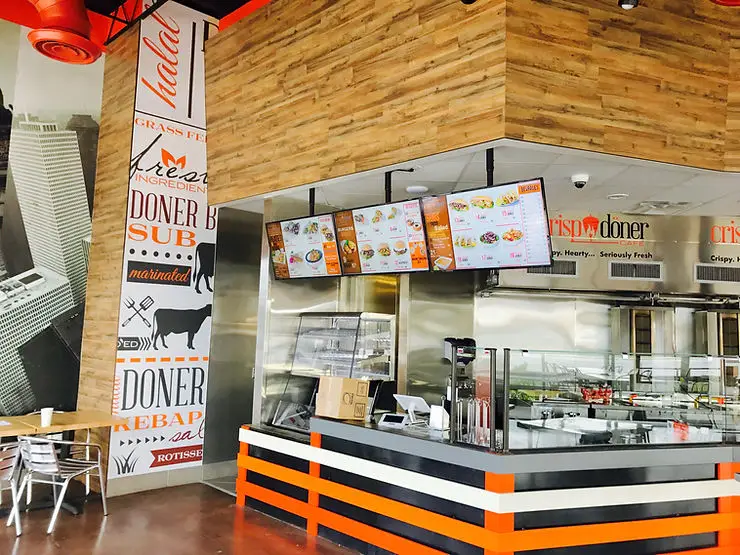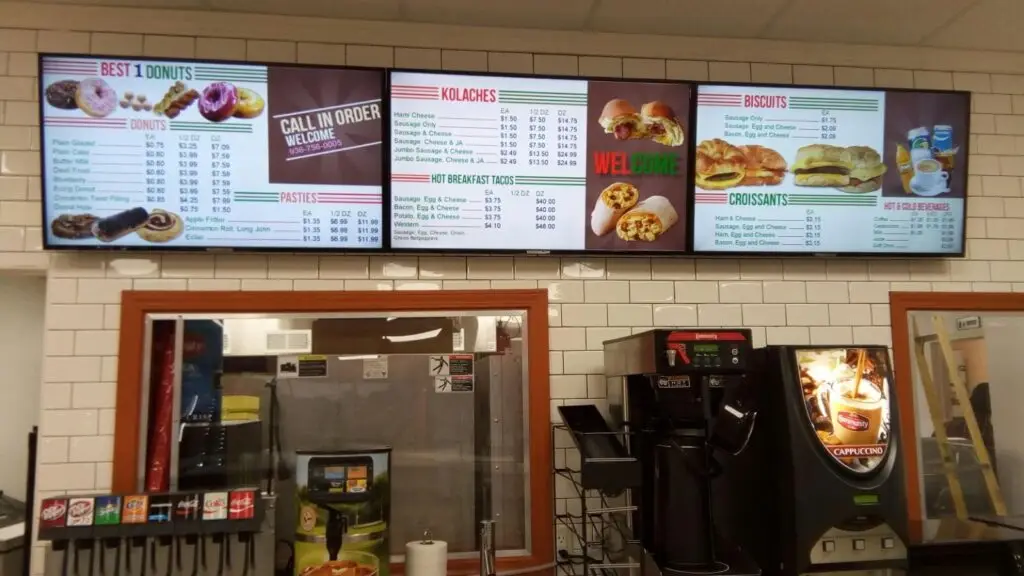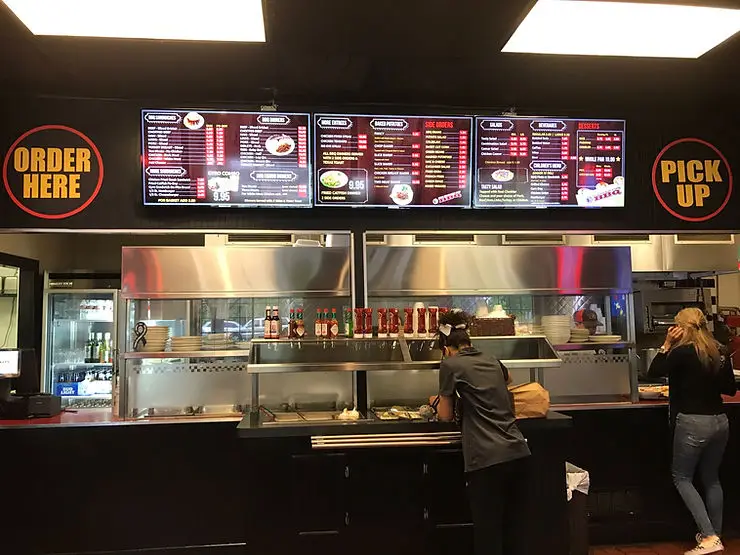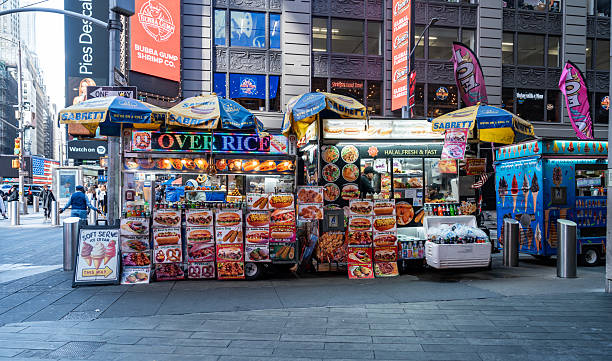
Digital Signage for Restaurants uses digital screens to display menus, promotions, pricing, and customer information in real time. It helps restaurants update content instantly, improve customer engagement, reduce printing costs, promote high-margin items, and create a modern dining experience. Whether you’re opening a new restaurant or upgrading an existing one, digital signage offers a scalable solution for efficient menu management.
Key Takeaways
- Digital signage allows restaurants to update menus instantly.
- It eliminates recurring printing costs.
- Digital menu boards improve customer experience and order accuracy.
- Restaurants can promote specials and upsell menu items easily.
- Cloud-based software enables remote management across multiple locations.
- The right setup includes commercial displays, signage software, media players, and quality content.
Why Digital Signage for Restaurants Matters
Today’s customers expect a fast, engaging, and seamless dining experience. Traditional printed menus and static promotional posters often make it difficult to update pricing, advertise limited-time offers, or respond to changing customer preferences.
Digital Signage for Restaurants provides a flexible solution by allowing restaurants to display dynamic menus, promotional campaigns, videos, and announcements on digital screens. Unlike printed materials, digital content can be updated instantly, making it easier to keep information accurate and relevant.
Whether you operate a café, quick-service restaurant, food truck, or fine dining establishment, digital displays can help streamline operations while enhancing the customer experience.
What Is Digital Signage for Restaurants?
Digital signage refers to electronic display systems used to communicate information visually. In restaurants, these displays typically replace traditional menu boards and promotional signage.
Digital displays can show:
- Digital menus
- Daily specials
- Combo offers
- Seasonal promotions
- Nutritional information
- Customer reviews
- Brand messaging
- Waiting times
- Event announcements
Modern systems are cloud-based, allowing restaurant owners to update content remotely without replacing printed menus.
Benefits of Digital Signage for Restaurants
Implementing digital displays offers advantages beyond simply replacing printed menus.
Improve Customer Experience
Customers appreciate clear, attractive, and easy-to-read menus.
Digital displays allow restaurants to:
- Display high-quality food images
- Improve menu readability
- Reduce customer confusion
- Create a modern atmosphere
An improved ordering experience often leads to higher customer satisfaction.
Instantly Update Menu Items
Restaurant menus change frequently because of:
- Seasonal ingredients
- Price changes
- Limited-time offers
- Out-of-stock items
With digital signage, updates take only a few minutes rather than requiring expensive menu reprints.
Increase Average Order Value
Strategically displaying promotions encourages customers to purchase additional items.
Restaurants can promote:
- Combo meals
- Desserts
- Premium beverages
- Appetizers
- Limited-time specials
These visual prompts help increase average order value without requiring additional staff effort.
Reduce Printing Costs
Traditional menus require regular printing whenever prices or menu items change.
Digital displays eliminate recurring printing expenses and reduce waste, making them a more sustainable long-term solution.
Strengthen Brand Identity
Consistent branding builds trust with customers.
Digital signage allows restaurants to showcase:
- Brand colors
- Logo
- Promotional videos
- Brand story
- Customer testimonials
A cohesive visual identity helps create a memorable dining experience.
Digital Displays for Restaurants vs Traditional Menu Boards
Feature | Digital Displays | Traditional Printed Menus |
|---|---|---|
Instant Updates | Yes | No |
Printing Costs | None after setup | Ongoing |
Promotional Flexibility | High | Limited |
Remote Management | Yes | No |
Multimedia Support | Images & Videos | Text and Images Only |
Scalability | Easy | Time-Consuming |
For restaurants that frequently update menus or promotions, digital displays provide greater flexibility and efficiency.
Who Should Use Digital Signage?
Digital signage can benefit nearly every type of food service business.
It is especially valuable for:
- Quick-service restaurants
- Fast casual restaurants
- Cafés
- Coffee shops
- Bakeries
- Food courts
- Food trucks
- Fine dining restaurants
- Pizza restaurants
- Multi-location restaurant chains
Restaurant startups can also benefit by implementing digital signage from the beginning, creating a modern customer experience while avoiding future menu replacement costs.
Essential Features to Look for in Restaurant Digital Signage
Not all digital signage solutions offer the same capabilities. Choosing the right platform is important for long-term usability and growth.
Cloud-Based Content Management
Cloud-based software enables restaurant owners to update menus and promotions from any location without accessing each display individually.
Real-Time Menu Updates
A reliable system should allow instant changes to:
- Prices
- Menu items
- Availability
- Daily specials
- Promotions
Scheduling Capabilities
Scheduling features allow menus and promotional content to change automatically based on:
- Breakfast hours
- Lunch service
- Dinner menus
- Happy hour promotions
- Seasonal campaigns
Multi-Location Management
Restaurants with multiple locations can manage all displays from one centralized dashboard, ensuring consistency across every branch.
High-Quality Media Support
Modern digital signage should support:
- HD images
- Videos
- Animations
- Brand graphics
- Promotional content
Professional visuals help attract customer attention and improve engagement.
How to Set Up Digital Signage for Restaurants
Installing digital signage is easier than many restaurant owners expect. Following a structured approach helps ensure a successful implementation.
Step 1: Define Your Goals
Before purchasing equipment, determine what you want your digital signage to accomplish.
Common goals include:
- Replacing printed menus
- Increasing upselling opportunities
- Reducing menu update time
- Improving customer engagement
- Promoting special offers
Having clear objectives helps you choose the right hardware and software.
Step 2: Choose the Right Display Locations
Screen placement has a significant impact on visibility and customer interaction.
Consider installing displays in:
- Ordering counters
- Drive-thru lanes
- Waiting areas
- Dining rooms
- Storefront windows
- Pickup counters
Ensure screens are positioned at comfortable viewing angles with minimal glare.
Step 3: Select the Right Hardware
A complete restaurant digital signage system typically includes:
- Commercial-grade digital displays
- Media players
- Secure mounting hardware
- Internet connectivity
- Digital signage software
Commercial displays are designed for extended daily operation and provide better durability than consumer televisions.
Types of Digital Signage for Restaurants
Choosing the right type of digital signage depends on your restaurant’s layout, service style, and customer experience goals. Many restaurants use a combination of displays to maximize visibility and engagement.
Indoor Digital Menu Boards
Indoor menu boards are the most common type of digital signage. Installed behind ordering counters, they display menus, prices, meal combinations, and promotional offers.
They are ideal for:
- Quick-service restaurants
- Cafés
- Bakeries
- Coffee shops
- Fast casual restaurants
Outdoor Digital Displays
Outdoor digital displays help attract foot traffic and communicate with customers before they enter the restaurant.
They can be used for:
- Daily specials
- Limited-time offers
- Opening hours
- Promotional campaigns
These displays are particularly useful for restaurants located in busy commercial areas.
Drive-Thru Digital Menu Boards
Drive-thru restaurants benefit from digital menus that can automatically update based on the time of day or product availability.
Benefits include:
- Faster ordering
- Clearer menu presentation
- Easy promotion of combo meals
- Real-time pricing updates
Promotional Screens
Promotional displays are placed inside waiting areas or dining spaces to highlight:
- Seasonal offers
- Loyalty programs
- Catering services
- New menu launches
- Upcoming events
These screens help keep customers engaged while increasing awareness of additional services.
Self-Service Kiosks
Many restaurants now combine digital signage with self-ordering kiosks.
These systems help:
- Reduce waiting times
- Improve order accuracy
- Lower staff workload
- Enhance customer convenience
How Much Does Digital Signage for Restaurants Cost?
The cost of implementing digital signage depends on factors such as the number of screens, display quality, software, and installation requirements.
Estimated Cost Breakdown
Item | Estimated Cost |
|---|---|
Commercial Display | $300–$2,000+ per screen |
Media Player | $100–$500 |
Mounting Hardware | $50–$300 |
Installation | $200–$1,000 |
Digital Signage Software | Monthly or annual subscription |
Content Design | Depends on customization |
Although there is an initial investment, digital signage often reduces long-term expenses by eliminating recurring printing costs and allowing instant menu updates.
Best Practices for Restaurant Digital Signage
Following best practices ensures your digital signage remains effective and delivers long-term value.
Keep Content Simple
Customers should be able to understand your menu within seconds.
Use:
- Clear headings
- Large fonts
- Simple layouts
- Easy-to-read pricing
Avoid cluttering the screen with excessive information.
Use Professional Food Photography
High-quality images help customers visualize menu items and can influence purchasing decisions.
Professional photography is often more effective than stock images.
Highlight High-Profit Menu Items
Place your most profitable dishes where customers naturally focus.
Examples include:
- Signature meals
- Combo deals
- Desserts
- Specialty beverages
Strategic placement encourages upselling.
Schedule Content Automatically
Modern software allows restaurants to display different content throughout the day.
For example:
- Breakfast menu in the morning
- Lunch specials during midday
- Dinner promotions in the evening
- Late-night menu after regular hours
Automation reduces manual work while keeping content relevant.
Maintain Brand Consistency
Use consistent:
- Brand colors
- Fonts
- Logos
- Visual style
A unified appearance strengthens brand recognition and builds customer trust.
Common Mistakes to Avoid
Even well-designed systems can underperform if common mistakes are overlooked.
Using Consumer Televisions
Consumer TVs are not designed for continuous commercial use. Commercial-grade displays provide greater durability and reliability.
Overloading Screens
Too much text or too many images make menus difficult to read.
Focus on the most important information and maintain sufficient spacing.
Ignoring Screen Placement
Poor placement can reduce visibility.
Install displays where customers can comfortably read them without obstruction or glare.
Failing to Update Content
Displaying outdated pricing or expired promotions can create confusion and reduce customer confidence.
Review content regularly to ensure accuracy.
Not Tracking Performance
Measure how digital signage affects:
- Average order value
- Sales of featured items
- Customer engagement
- Promotional performance
Using data helps improve future campaigns.
Expert Tips for Restaurant Startups
If you’re opening a new restaurant, these recommendations can help you maximize your investment.
Start with Essential Displays
You don’t need a large network of screens immediately.
Begin with:
- One digital menu board
- One promotional display
Expand your system as your restaurant grows.
Choose Scalable Software
Select software that supports multiple displays and locations so you won’t need to replace the platform later.
Build a Content Calendar
Plan promotions in advance.
Include:
- Holiday campaigns
- Seasonal menus
- Weekly specials
- Community events
- Limited-time offers
Planning ahead keeps your displays fresh and engaging.
Train Your Team
Staff should know how to:
- Update menus
- Schedule promotions
- Resolve basic issues
- Manage daily content
Proper training ensures smooth day-to-day operations.
Practical Example
A newly opened burger restaurant relied on printed menus that required frequent reprinting whenever prices changed.
After installing digital signage, the restaurant was able to:
- Update prices instantly
- Promote limited-time burgers
- Display lunch combo offers automatically
- Highlight customer favorites
- Advertise loyalty rewards
Within a few months, menu management became more efficient, promotional campaigns were easier to run, and customers responded positively to the modern ordering experience.
Restaurant Digital Signage Setup Checklist
Use this checklist before launching your system.
Task | Complete |
|---|---|
Define business objectives | □ |
Select display locations | □ |
Purchase commercial displays | □ |
Install media players | □ |
Choose digital signage software | □ |
Create branded content | □ |
Upload menus | □ |
Schedule promotions | □ |
Test all displays | □ |
Train staff | □ |
Conclusion
Implementing Digital Signage for Restaurants is a practical investment for restaurant startups and established businesses looking to improve efficiency and customer engagement. From replacing printed menus to promoting daily specials and managing content across multiple locations, digital displays provide the flexibility needed in today’s fast-paced restaurant industry.
By choosing the right hardware, reliable software, and a thoughtful content strategy, restaurants can streamline menu management, reduce printing costs, and create a more engaging dining experience for customers.
If you’re looking for a dependable digital signage solution, Houston Dynamic Displays offers digital menu board solutions designed to simplify restaurant menu management and enhance customer communication.
Contact Us
Ready to modernize your restaurant with digital signage?
HD2Menus can help you implement a digital signage solution tailored to your restaurant’s needs. Contact us today to learn more about our digital menu board solutions and discover how we can support your restaurant’s growth.
Frequently Asked Questions
Digital signage for restaurants uses electronic displays to present menus, promotions, announcements, and customer information that can be updated instantly without printing new materials.
Yes. Small restaurants can start with one or two digital menu boards and expand as their business grows.
Menus should be updated whenever pricing, menu items, or promotions change. Regular updates keep information accurate and relevant.
Yes. Most cloud-based digital signage platforms allow restaurant owners to update content from any location using an internet connection.
Restaurants can display:
- Daily specials
- Promotional offers
- Loyalty programs
- Customer reviews
- Nutritional information
- Catering services
- Upcoming events