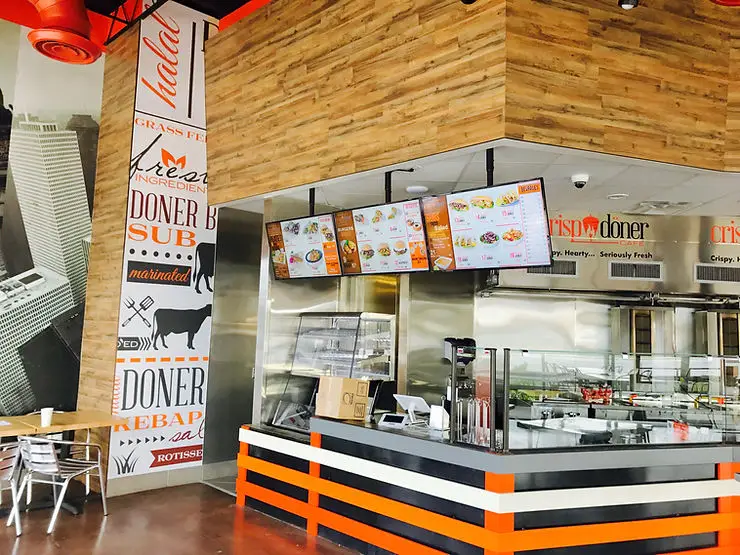
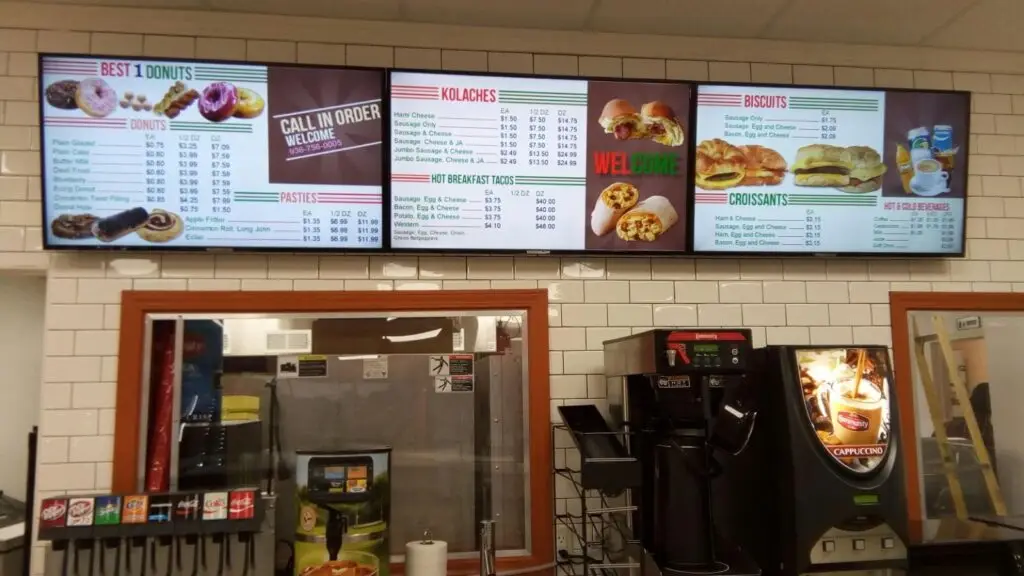
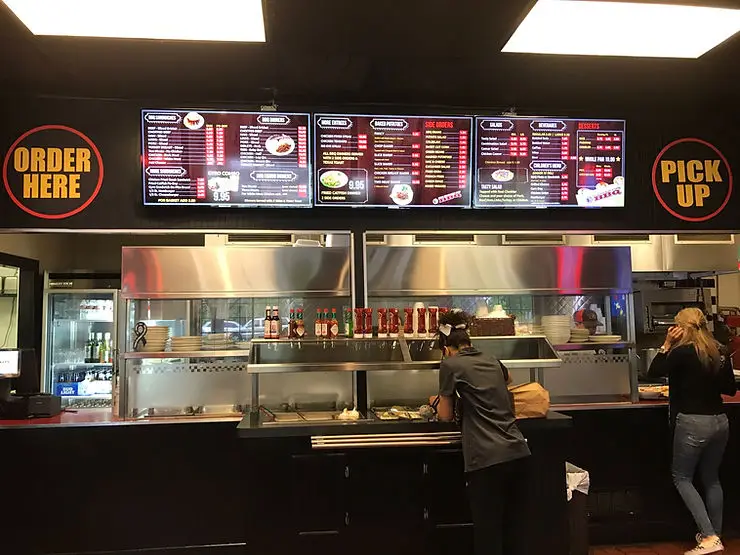
Digital menu boards for restaurants help cafes, food trucks, and pizza shops update menus instantly, promote high-margin items, reduce printing costs, and improve customer ordering experiences. With centralized content management and dynamic displays, businesses can respond quickly to changing inventory, pricing, and promotions while creating a modern dining environment.
Key Takeaways
- Digital menu boards simplify menu updates across one or multiple locations.
- Restaurants can promote seasonal offers and limited-time specials instantly.
- Digital displays improve customer experience through visually engaging content.
- Real-time pricing and menu changes reduce operational delays.
- Digital menu boards support upselling and cross-selling opportunities.
- Centralized management saves staff time and reduces printing expenses.
- Restaurants can schedule menus based on breakfast, lunch, dinner, or special events.
- Modern digital displays help businesses maintain consistent branding.
Introduction
The restaurant industry has changed significantly over the last decade. Customers now expect faster service, visually appealing menus, and accurate pricing whether they’re visiting a neighborhood café, ordering from a food truck, or grabbing dinner at their favorite pizza shop.
Traditional printed menus often struggle to keep up with these expectations. Updating prices, introducing seasonal specials, or removing unavailable items usually means reprinting menus or manually replacing signage. This process takes time, increases costs, and limits flexibility.
That’s why more businesses are investing in digital menu boards for restaurants.
From independent coffee shops to growing restaurant chains, digital displays allow owners to manage menus in real time, showcase promotions, improve ordering efficiency, and create a more engaging customer experience. Whether installed indoors, at the drive-thru, or inside a food truck, digital menu boards have become an essential tool for modern restaurant operations.
This guide explains why restaurants are making the switch, how digital displays improve daily operations, and what businesses should consider before implementing a digital menu board solution.
Why Restaurants Are Replacing Traditional Menu Boards
Printed menu boards have served restaurants for years, but they come with several operational limitations.
Common challenges include:
- Frequent printing costs
- Time-consuming menu updates
- Inconsistent pricing across locations
- Difficulty promoting limited-time offers
- Manual replacement of menu graphics
- Delays when inventory changes
Digital menu boards eliminate these issues by allowing businesses to update menus instantly from a centralized system.
Instead of waiting days for new printed materials, restaurant managers can publish updates within minutes.
Benefits of Digital Menu Boards for Restaurants
Improve Menu Flexibility
Restaurants constantly adjust menus based on inventory, seasonal ingredients, supplier pricing, and customer demand.
With digital displays for restaurants, updates can be made instantly without replacing physical signage.
Examples include:
- Daily specials
- Happy hour pricing
- Seasonal beverages
- Holiday menus
- Limited-time promotions
- Sold-out items
This flexibility helps restaurants remain responsive throughout the day.
Create a Better Customer Experience
Today’s customers make purchasing decisions quickly.
High-quality images, organized layouts, and easy-to-read pricing help customers decide faster.
Digital menu boards also reduce confusion by displaying:
- Clear pricing
- Item descriptions
- Combo options
- Meal upgrades
- Promotional offers
When customers spend less time deciding, ordering becomes faster and more enjoyable.
Increase Average Order Value
One of the biggest advantages of digital menu boards is their ability to encourage additional purchases.
Restaurants can strategically highlight:
- Combo meals
- Premium toppings
- Desserts
- Beverages
- Limited-time specials
- Family meal deals
Unlike printed menus, digital displays can automatically rotate promotional content throughout the day.
For example, a pizza shop might promote garlic bread and beverages during lunch while showcasing family meal bundles during dinner hours.
Reduce Printing Costs
Traditional menu updates require:
- Graphic design revisions
- Printing expenses
- Shipping
- Manual installation
These costs add up over time, especially for restaurants with multiple locations.
Digital menu boards eliminate recurring printing expenses by allowing updates through cloud-based software.
Over time, this can significantly reduce operational costs.
Maintain Brand Consistency Across Locations
Restaurants operating multiple stores often struggle to maintain consistent branding.
Digital menu boards allow managers to control every display from one central platform.
This ensures:
- Uniform branding
- Consistent pricing
- Standardized promotions
- Accurate product images
- Synchronized marketing campaigns
Whether operating three locations or three hundred, every customer receives the same experience.
How Different Food Businesses Benefit
Cafés
Coffee shops frequently rotate seasonal beverages, pastries, breakfast items, and promotional offers.
Digital menu boards allow cafés to:
- Display breakfast menus in the morning
- Switch to lunch offerings automatically
- Promote seasonal drinks
- Highlight loyalty rewards
- Advertise bakery specials
This keeps menus fresh throughout the day without staff intervention.
Food Trucks
Food trucks operate in fast-moving environments where flexibility is essential.
Digital displays help food truck owners:
- Update menus based on available inventory
- Adjust pricing for events
- Display QR codes for online ordering
- Promote combo meals
- Showcase daily specials
Because food trucks often change locations, digital displays provide a professional appearance while simplifying menu management.
Pizza Shops
Pizza restaurants frequently offer:
- Daily specials
- Family meal packages
- Delivery deals
- Catering promotions
- Limited-time pizzas
Digital menu boards make these promotions more visible while helping customers customize their orders more easily.
Visual product images also encourage customers to try premium toppings and specialty pizzas.
Features to Look for in Digital Displays for Restaurants
Not every digital signage solution offers the same capabilities.
When evaluating providers, restaurants should consider features that improve efficiency and simplify day-to-day management.
Cloud-Based Content Management
Cloud-based software allows restaurant owners to update menus remotely from any internet-connected device.
Benefits include:
- Real-time updates
- Multi-location management
- Faster deployment
- Reduced maintenance
- Improved consistency
Managers no longer need to visit every location to change menus.
Content Scheduling
Automatic scheduling allows menus to change throughout the day.
Examples include:
Time | Menu Display |
|---|---|
Morning | Breakfast Menu |
Afternoon | Lunch Specials |
Evening | Dinner Combos |
Late Night | Limited Menu |
Scheduling reduces manual work while ensuring customers always see relevant menu options.
High-Resolution Displays
Image quality directly influences purchasing decisions.
Bright, high-resolution displays help restaurants showcase:
- Fresh ingredients
- Combo meals
- Desserts
- Signature drinks
- Promotional graphics
Professional visuals create stronger first impressions and enhance the overall dining experience.
Real-Time Inventory Updates
Restaurants often run out of popular menu items during busy periods.
With integrated digital menu boards, unavailable products can be removed instantly instead of disappointing customers at the register.
This improves operational efficiency while reducing customer frustration.
POS Integration
Many modern digital menu board platforms integrate with restaurant POS systems.
Benefits include:
- Automatic pricing updates
- Menu synchronization
- Inventory management
- Reduced manual entry
- Fewer pricing errors
This integration streamlines operations and ensures menu accuracy.
How to Implement Digital Menu Boards in Your Restaurant
Switching to digital menu boards is more than replacing printed signs with screens. A successful implementation requires planning, the right hardware, and content that aligns with your business goals.
Step 1: Define Your Objectives
Start by identifying what you want to achieve. Common objectives include:
- Increasing average order value
- Reducing menu update time
- Promoting seasonal items
- Improving customer experience
- Managing menus across multiple locations
- Supporting drive-thru or self-service ordering
Clear goals help you choose the right digital signage solution.
Step 2: Choose the Right Display Locations
The placement of digital menu boards affects visibility and customer engagement.
Common installation locations include:
- Behind the service counter
- Above ordering stations
- Drive-thru lanes
- Self-order kiosks
- Waiting areas
- Outdoor pickup windows
- Food truck serving windows
Displays should be easy to read from different viewing angles and distances.
Step 3: Select the Appropriate Hardware
The hardware should be suitable for your environment.
Consider:
- Commercial-grade displays
- High brightness for outdoor visibility
- Durable mounting systems
- Media players
- Reliable internet connectivity
Restaurants operating in high-temperature or outdoor environments should invest in weather-resistant display solutions.
Step 4: Design an Easy-to-Read Menu
A cluttered menu can overwhelm customers and slow down ordering.
Follow these design principles:
- Use readable fonts
- Keep categories organized
- Display clear pricing
- Limit excessive animations
- Use high-quality food images
- Highlight popular or profitable items
A clean layout helps customers make decisions faster.
Step 5: Schedule Content Throughout the Day
One of the biggest advantages of digital menu boards is automated scheduling.
Examples include:
- Breakfast menu from 6:00 AM to 11:00 AM
- Lunch specials from 11:00 AM to 3:00 PM
- Happy hour promotions
- Dinner combos
- Weekend family meals
- Holiday promotions
Automated scheduling reduces manual work while ensuring customers always see the most relevant menu.
Best Practices for Digital Displays for Restaurants
Following best practices helps maximize the return on your investment.
Keep Menu Layouts Simple
Avoid overcrowding screens with too many menu items.
Customers should quickly find:
- Main dishes
- Combo meals
- Add-ons
- Drinks
- Desserts
Simple navigation improves the ordering experience.
Use Professional Food Photography
Customers often buy with their eyes first.
High-quality images increase product appeal and help customers visualize their purchase.
Professional photography creates a stronger impression than generic or low-resolution images.
Highlight High-Profit Items
Strategically position your most profitable products where customers naturally focus.
Examples include:
- Chef’s specials
- Combo meals
- Signature pizzas
- Seasonal beverages
- Desserts
- Meal upgrades
This approach supports upselling without disrupting the customer experience.
Update Content Regularly
Fresh content keeps menus relevant.
Update displays for:
- Seasonal promotions
- New products
- Local events
- Holiday specials
- Limited-time offers
- Price changes
Regular updates also encourage repeat customers to explore new menu items.
Ensure Brand Consistency
Every digital display should reflect your brand identity.
Maintain consistency with:
- Colors
- Typography
- Logo placement
- Product images
- Promotional messaging
Consistent branding builds customer trust and recognition.
Common Mistakes Restaurants Should Avoid
Even the best technology can underperform if not implemented correctly.
Displaying Too Much Information
Large blocks of text and overcrowded menus make it difficult for customers to make quick decisions.
Focus on clarity rather than quantity.
Ignoring Screen Placement
Poor viewing angles or obstructed displays reduce visibility and customer engagement.
Test viewing distances before installation.
Using Low-Quality Images
Blurry or poorly lit food photography can negatively affect customer perception.
Invest in professional product images whenever possible.
Forgetting Regular Updates
Outdated pricing or expired promotions reduce customer confidence.
Assign responsibility for ongoing content management.
Choosing Consumer TVs Instead of Commercial Displays
Consumer televisions are not designed for long operating hours.
Commercial displays offer greater durability, brightness, and reliability for restaurant environments.
Expert Tips for Maximizing Results
Restaurant operators can gain even more value by following these proven strategies.
Promote Limited-Time Offers
Create urgency with:
- Seasonal drinks
- Weekend specials
- Holiday menus
- Daily chef recommendations
Limited-time offers encourage quicker purchasing decisions.
Use Daypart Marketing
Customize menus for different times of the day.
For example:
- Breakfast promotions
- Lunch combos
- Afternoon snacks
- Dinner family meals
- Late-night specials
Relevant content increases customer engagement.
Feature High-Margin Items
Place premium products in prominent positions on the screen.
These may include:
- Specialty pizzas
- Gourmet coffee drinks
- Signature desserts
- Family meal bundles
Digital menu boards naturally draw attention to featured items.
Monitor Performance
Track key metrics such as:
- Popular menu items
- Average transaction value
- Sales during promotions
- Customer purchasing patterns
Regular analysis helps refine menu strategies over time.
Traditional Menu Boards vs. Digital Menu Boards
Feature | Traditional Menu Boards | Digital Menu Boards |
|---|---|---|
Menu Updates | Manual | Instant |
Printing Costs | Ongoing | Minimal |
Promotional Flexibility | Limited | High |
Scheduling | Not Available | Automated |
Multiple Locations | Difficult | Centralized |
Visual Appeal | Static | Dynamic |
Inventory Updates | Manual | Real-Time |
Branding Consistency | Limited | Easy |
Digital Menu Board Implementation Checklist
Use this checklist before launching your digital signage solution.
Task | Complete |
|---|---|
Define business goals | □ |
Select display locations | □ |
Choose commercial-grade hardware | □ |
Install digital signage software | □ |
Design menu layouts | □ |
Upload high-quality food images | □ |
Schedule menus by time of day | □ |
Test screen visibility | □ |
Train staff | □ |
Monitor performance after launch | □ |
Conclusion
As customer expectations continue to evolve, digital menu boards for restaurants have become an essential tool for cafés, food trucks, pizza shops, and fast-food chains looking to improve efficiency and enhance the dining experience. From instant menu updates and centralized management to dynamic promotions and better brand consistency, digital displays offer a practical solution for modern restaurant operations.
By following best practices, choosing the right hardware, and implementing a well-planned content strategy, restaurants can streamline menu management while creating a more engaging experience for customers.
At HD2 Menus, we provide digital signage solutions designed to help restaurants manage menus with greater flexibility and efficiency. Whether you operate a single location or a growing chain, our team can help you implement a digital menu board system tailored to your operational needs.
Contact us today to learn more about our digital menu board solutions and discover how the right technology can support your restaurant’s long-term success.
Frequently Asked Question
Digital menu boards are electronic displays that allow restaurants to showcase menus, pricing, promotions, and product images while enabling real-time updates through digital signage software.
Yes. Cafés, food trucks, pizza shops, quick-service restaurants, and multi-location chains can all benefit from digital menu boards by improving flexibility and reducing printing costs.
Yes. Most modern digital signage platforms use cloud-based software that allows restaurant owners and managers to update content remotely across one or multiple locations.
Digital menu boards can support higher average order values by highlighting featured items, combo meals, seasonal promotions, and premium add-ons in a visually engaging format.
Menus should be updated whenever pricing, inventory, promotions, or seasonal offerings change. Regular updates keep content accurate and relevant for customers.
Restaurants should consider features such as cloud-based management, scheduling, high-resolution displays, remote updates, multi-location support, and POS integration to simplify operations.